
HOW TOP AGENTS STAY
ON TOP OF EVERY CLIENT
HOW EACH FEATURE WORKS, AND HOW TO SET IT UP
The four things your intern does, written out in full — what each one buys you, where it lives in the product, the steps to switch it on, and the gotcha worth knowing first.
MOBILE FRIENDLY, USE ME ANYWHERE
- Voice to send emailsDictate a reply between viewings and it comes back written, ready to send — no enquiry left waiting.
- Schedule meetings on the goBook, move and confirm viewings by voice from your phone — no waiting until you're back at the desk.
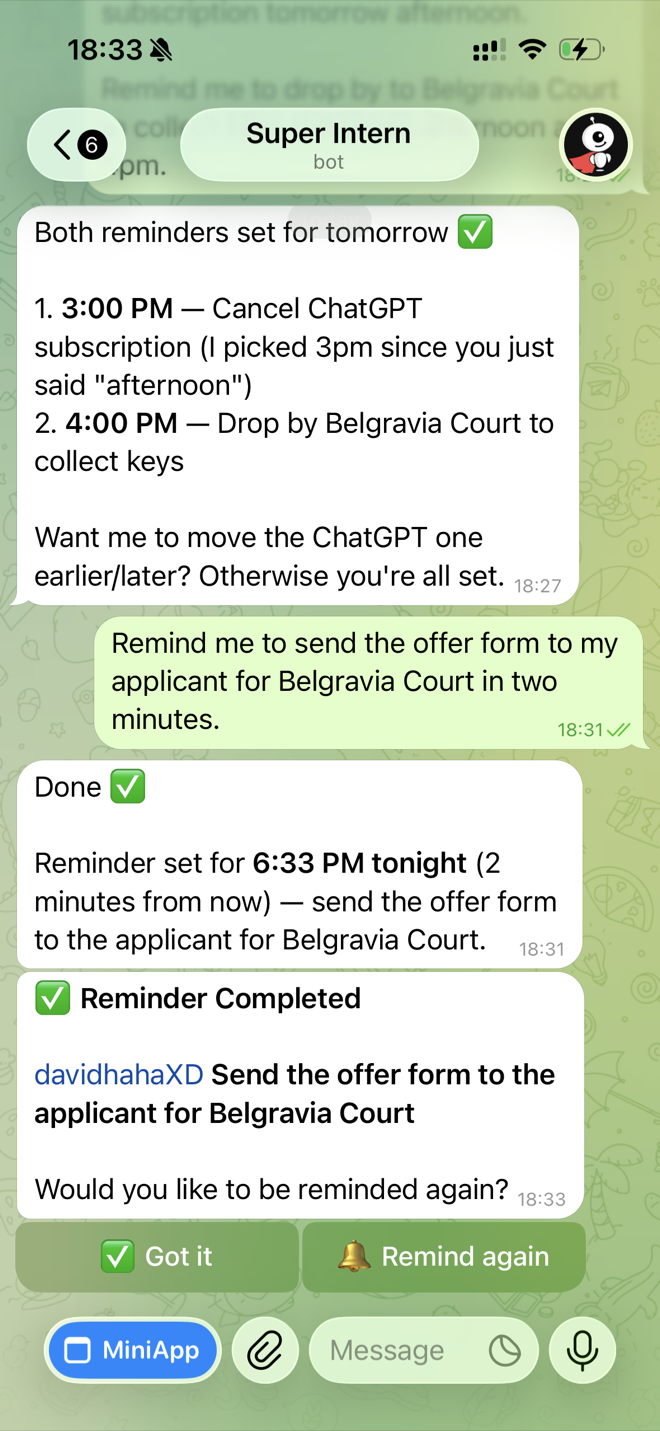
- Voice to set remindersSet a chase in seconds by voice and it fires on time, re-arming until it's done — no follow-up slips.
Telegram
The whole product works from your phone by voice, which is where most of this job actually happens — between viewings, in the car, on the street.
Setting it up
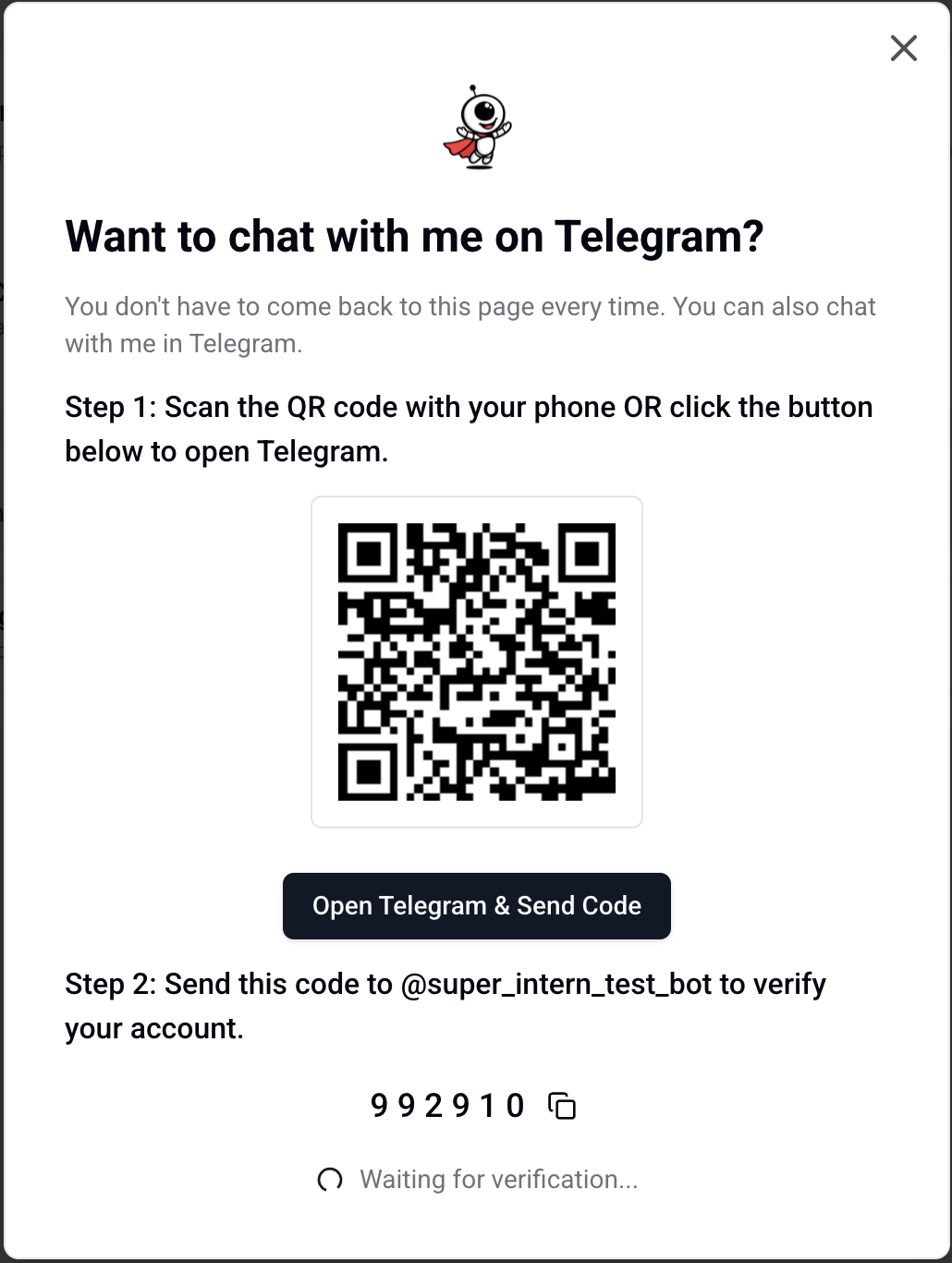
Connect it once: scan the QR from the web app, or send the six-digit code to the bot to link the chat to your account.
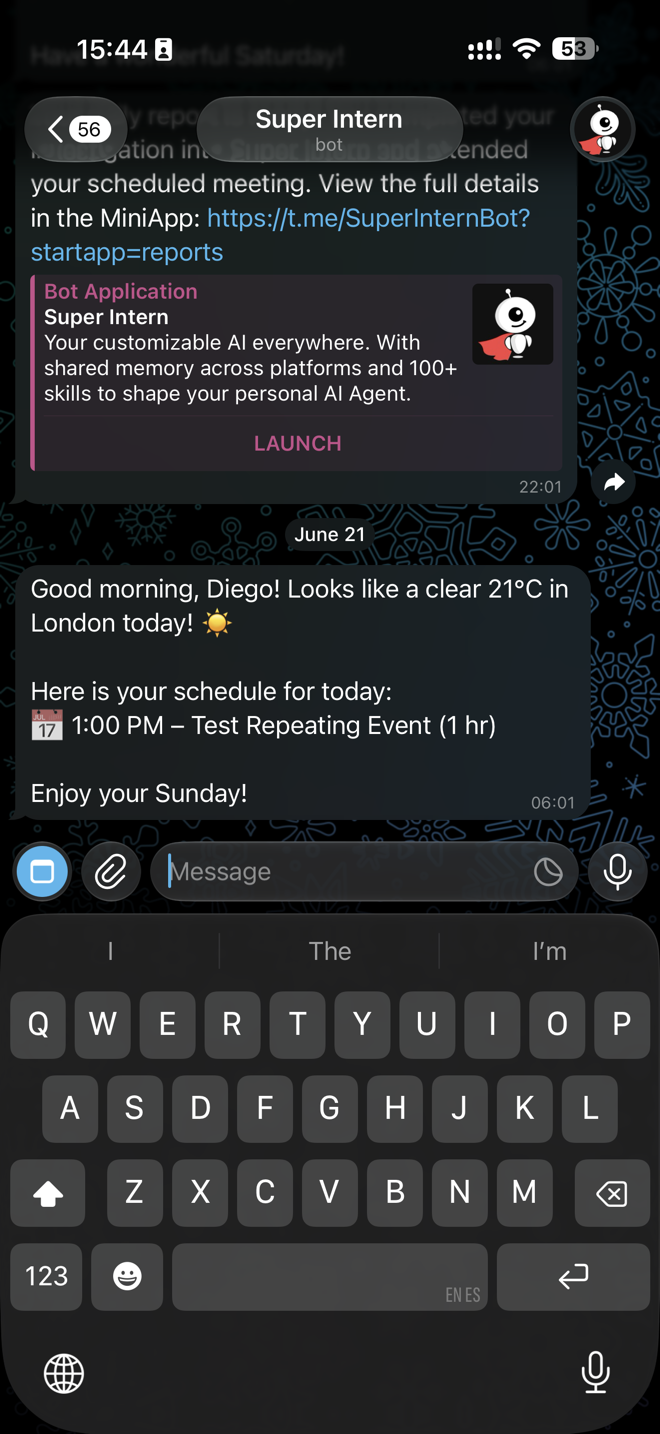
Then it lives in your pocket — the morning brief lands in Telegram with the mic ready for your reply.
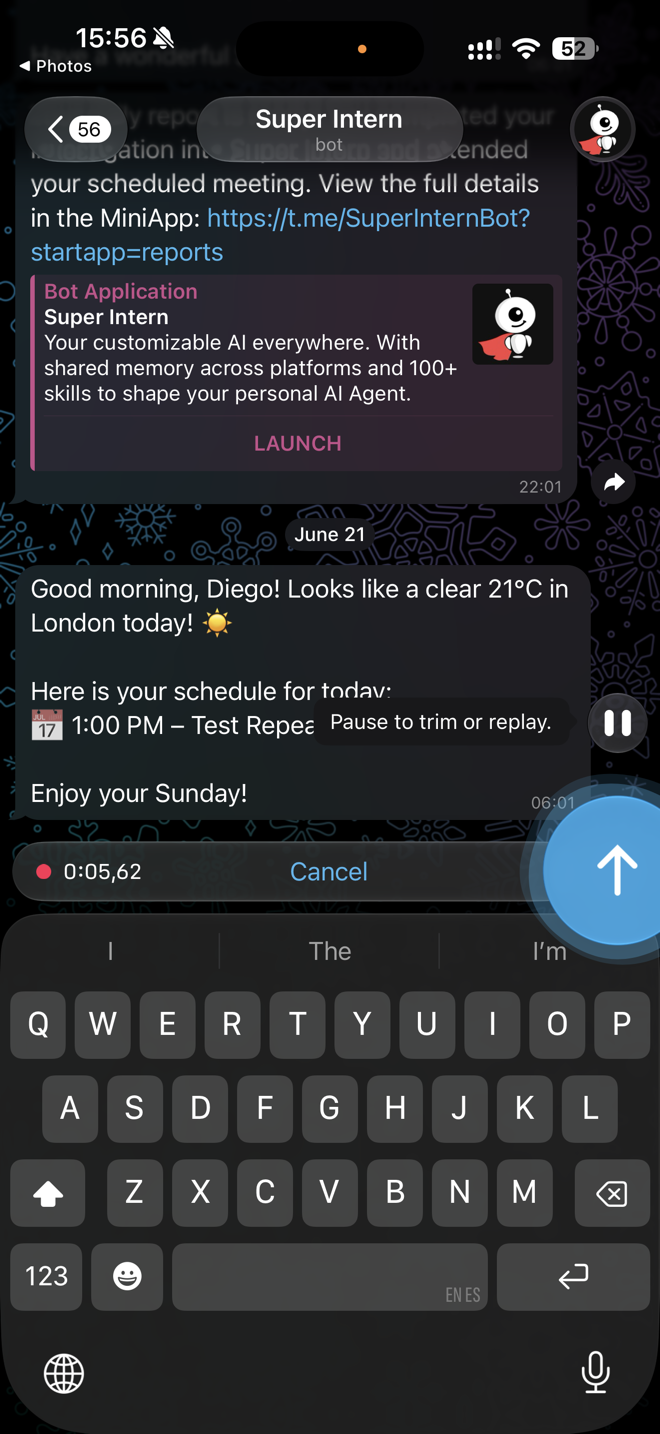
Talk hands-free: slide the mic up to lock it, keep talking as long as you need, then tap the arrow to send.
The whole dashboard lives inside Telegram too — meetings, drafts and reminders, without leaving the chat.
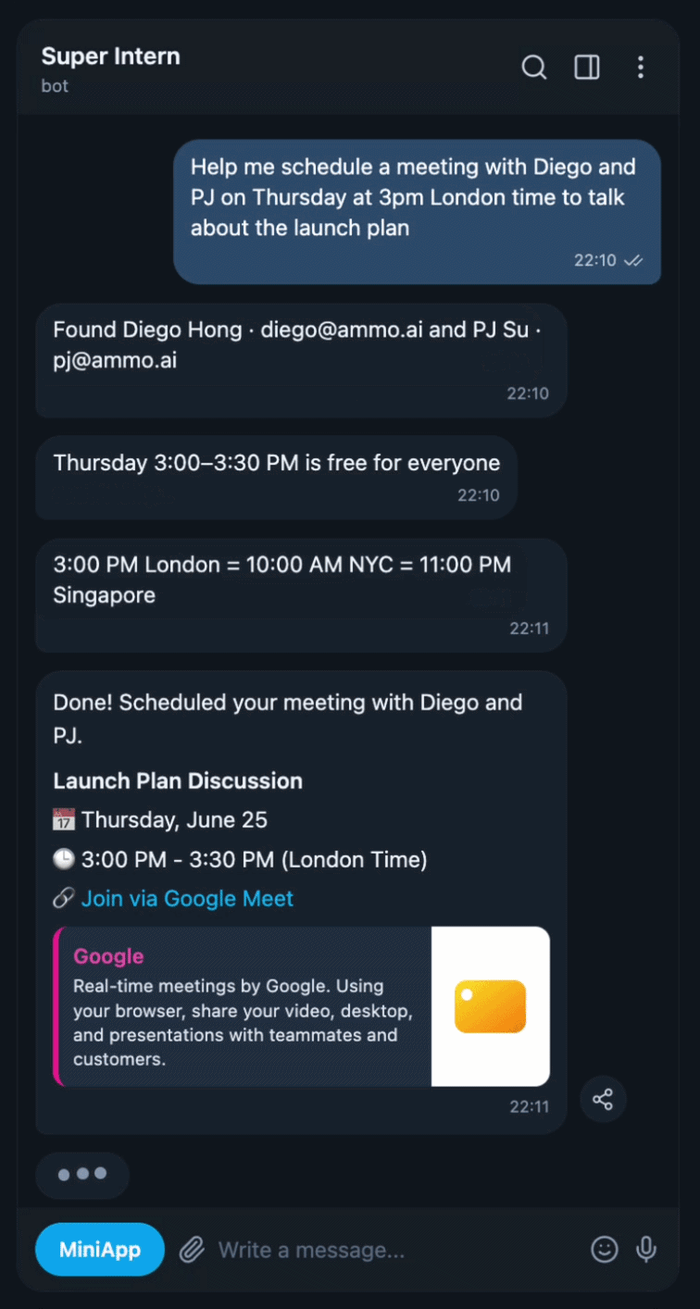
It's the same intern in the web app and in Telegram — same memory, same rules, same drafts. Start something on your phone and finish it at your desk.
The same intern in WhatsApp — message your agent from the app you already use, by voice or text, wherever you are.
Where: My Intern → Integrations → WhatsApp
app.superintern.ai/dashboard/integrations?tab=whatsappSetting it up
Open Integrations → WhatsApp and scan the QR, or tap Connect WhatsApp to open the chat with your link code ready.
Message the SuperIntern WhatsApp number with that link code to verify your account.
Once it's linked it works the same as the web app — same memory, same rules, same drafts.
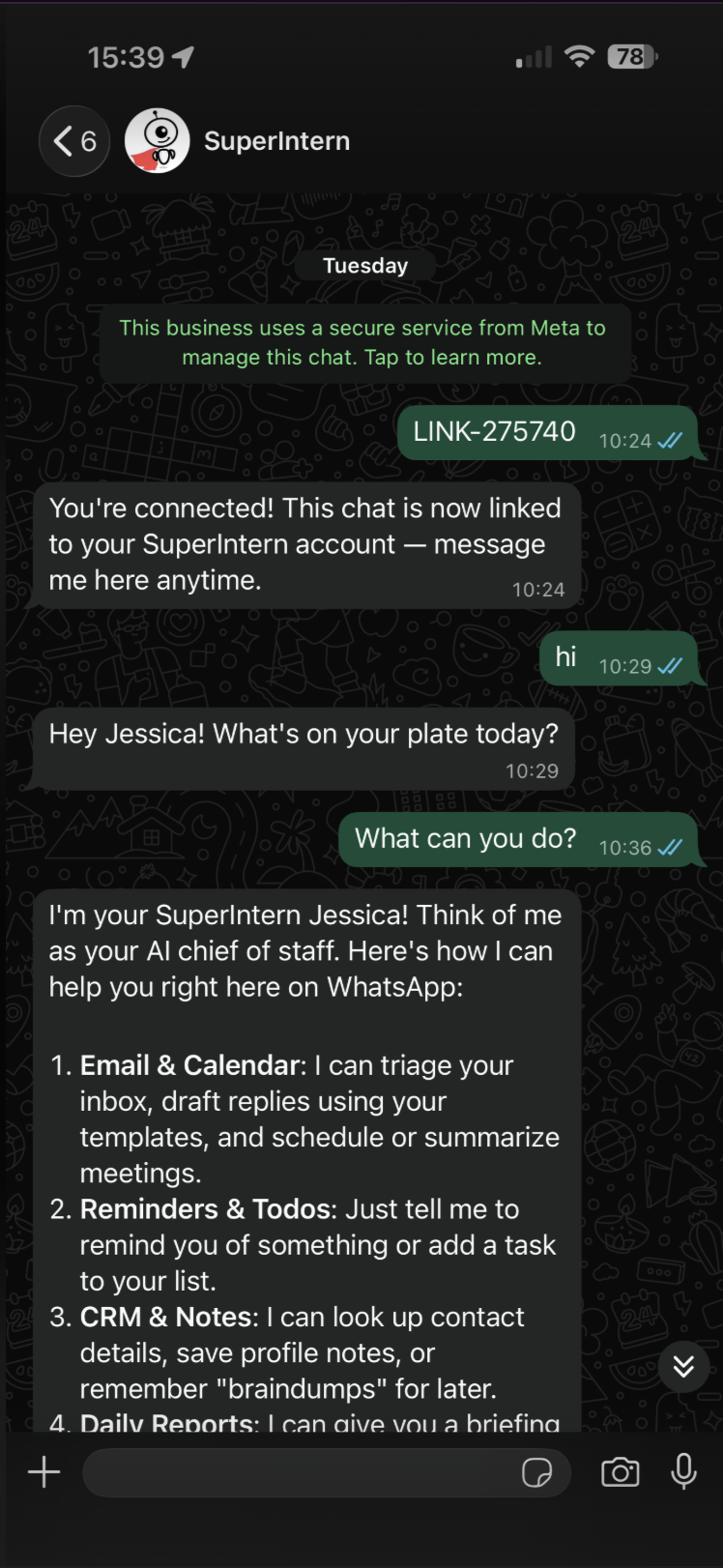
It's the same intern across WhatsApp, Telegram and the web app — start something on your phone and finish it at your desk.
TEACH IT TO WRITE EMAILS LIKE YOU
Your standards, wording, facts, files and contacts — taught once, so every draft sounds like you.
Auto draft
Replies to incoming mail are written and waiting before you open the inbox, so being first to respond costs you nothing.
Where: My Day → Emails → Email settings → Reply automation, or set up in chat
app.superintern.ai/dashboard/my-day?tab=emailSetting it up
- 1Turn on Auto-draft replies. From then on, mail that deserves an answer arrives with the answer already drafted — you never ask for it.
- 2Turn on Auto follow-up and choose how many days to wait. If someone doesn't come back to you in that window, the nudge is drafted too.
- 3Leave Auto-delete unsent drafts on and set the window. Drafts you decided against clear themselves, so the folder stays a to-do list rather than a graveyard.
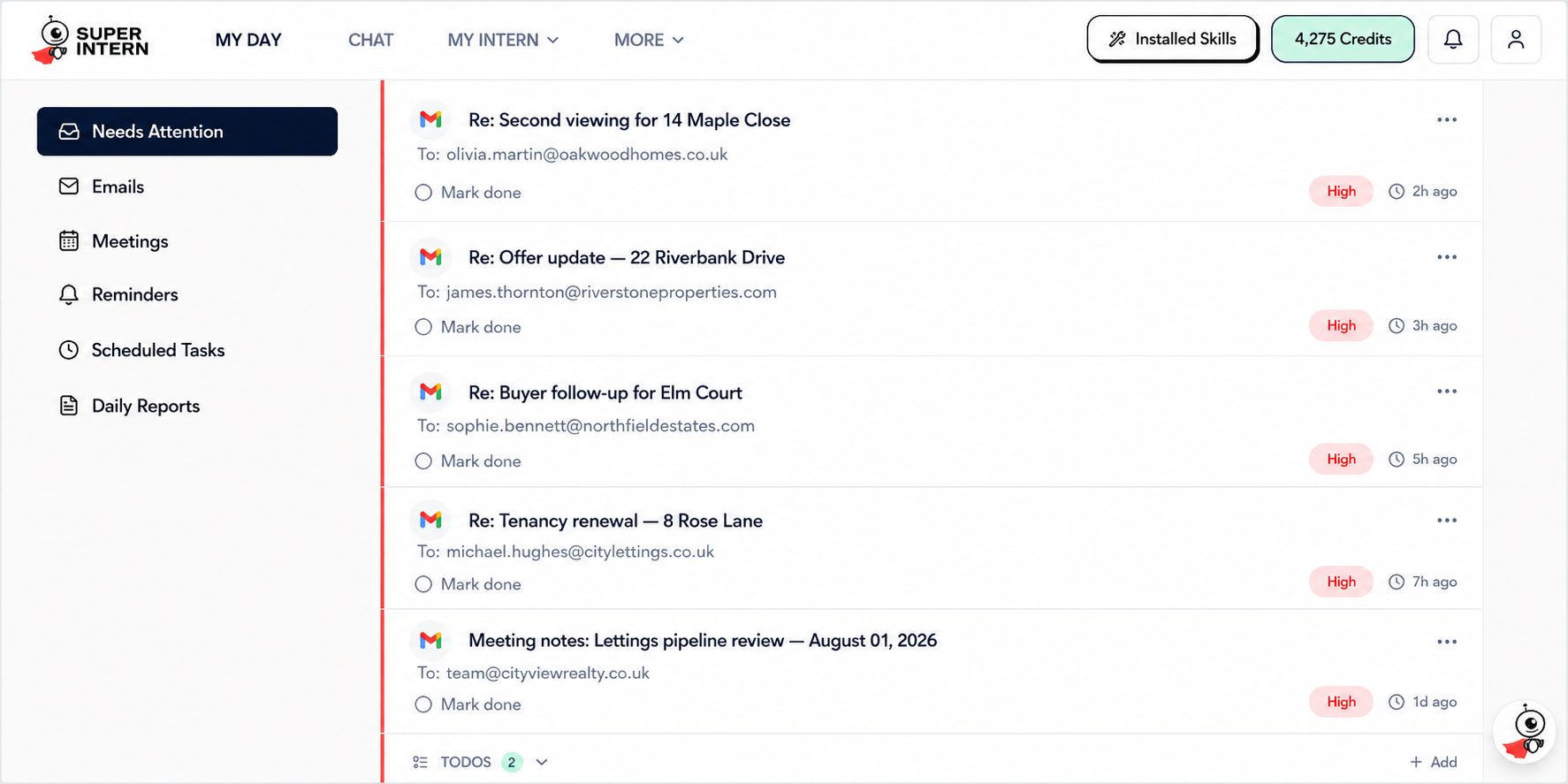
- 4Read what's waiting in My Day → Emails, or in your own Gmail or Outlook Drafts folder — whichever you actually work in.
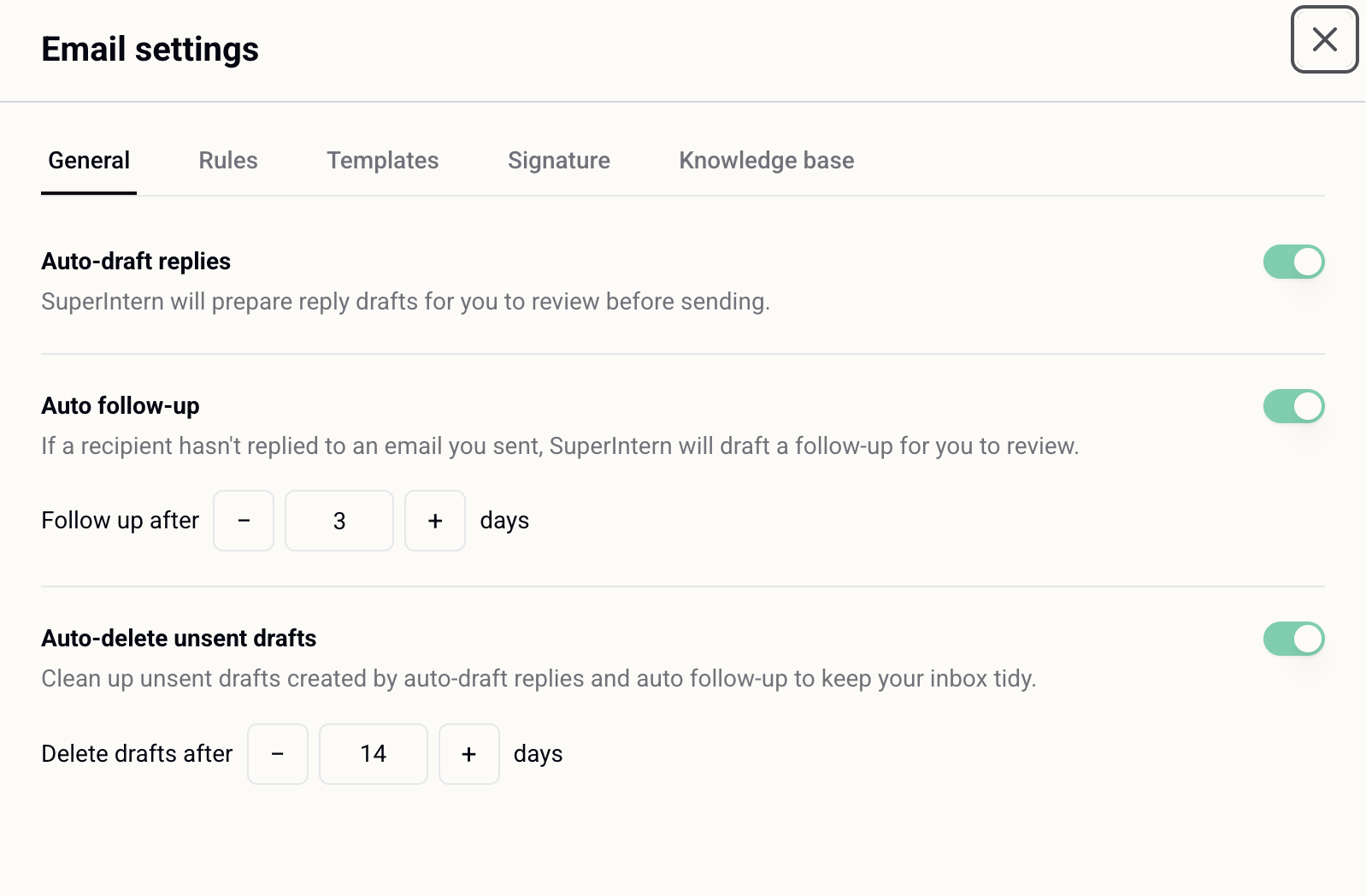
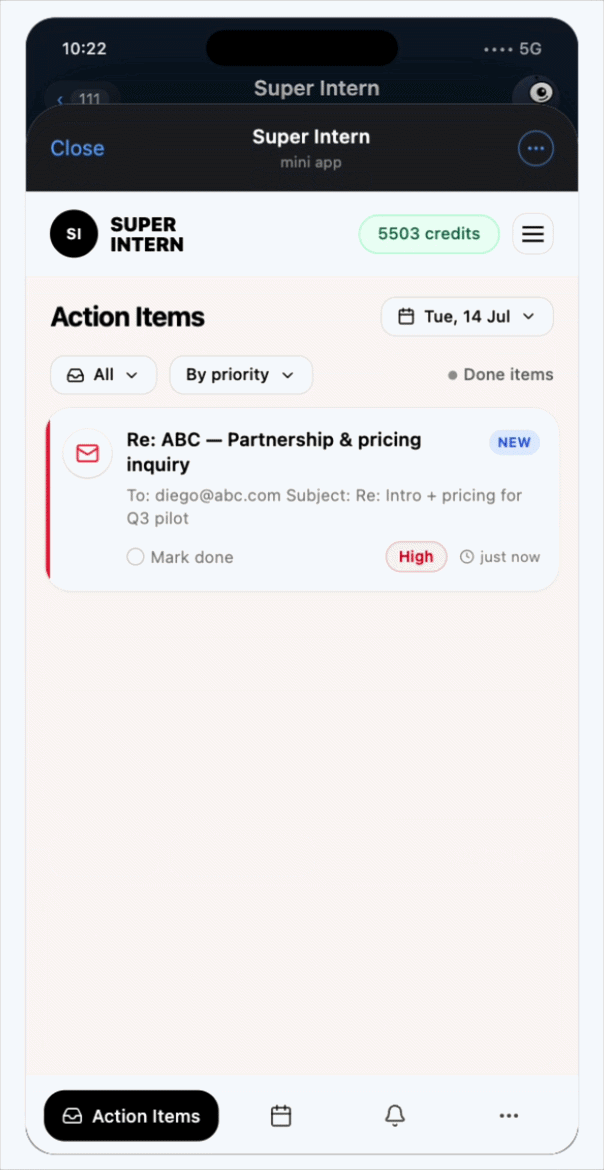
Nothing is ever sent for you. Every draft waits for you to read it and hit send — and you can switch the whole thing off in one tap.
Draft on the go
Say who to answer and roughly what to say, and the finished email is written for you — from the car, on the street, between viewings. You never type the reply.
Already on: Ask in Telegram or the web chat
How it works
- 1Say who and what in one breath: “reply to Helen at Zoopla — our logo displays too small, we'll send a new file, ask her to update it.”
- 2It finds the thread and the person, then writes the whole email — your rules, your templates, your signature, your facts, applied without being mentioned.
- 3Steer it in the same chat: “shorter”, “add the two viewing slots”, “more formal”. The draft waits in My Day → Emails and in your own Gmail or Outlook Drafts until you send it.
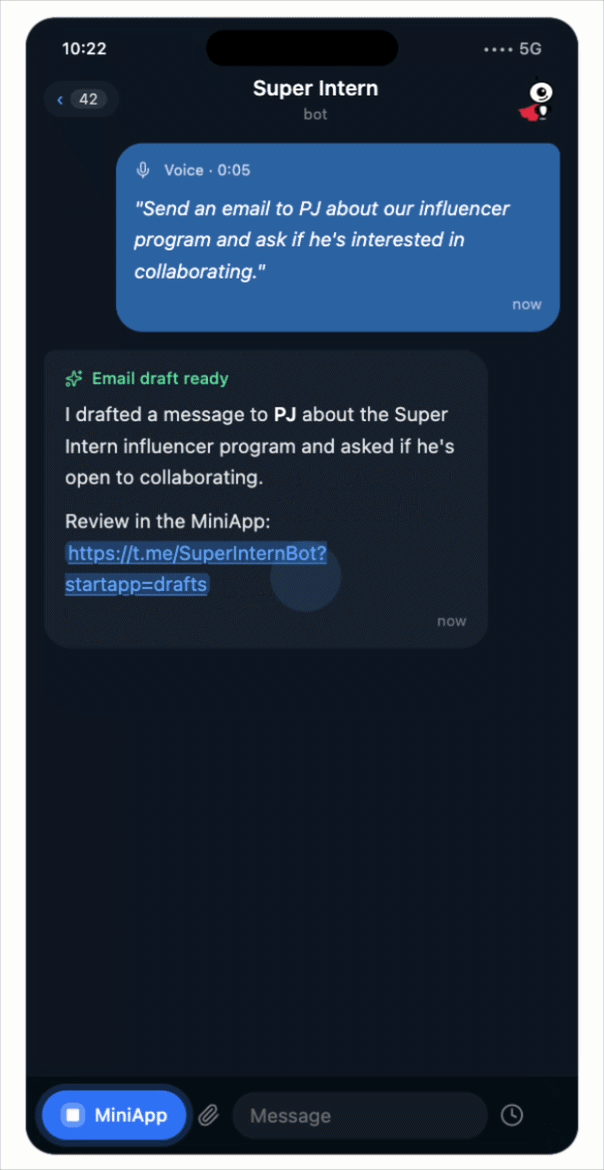
This is the habit the rest of the playbook is built on — the reply is written before you've parked. Ask for a draft and it waits for you; say “send it” and it goes, then tells you what went out.
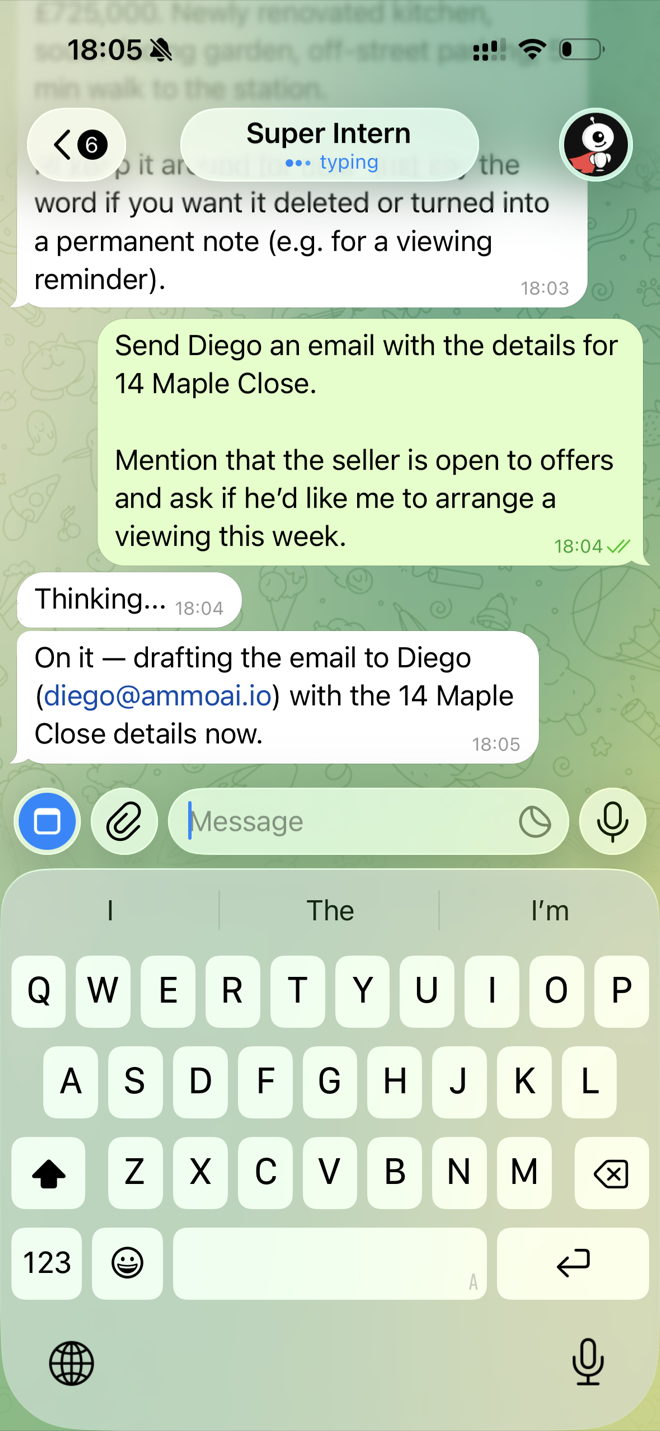
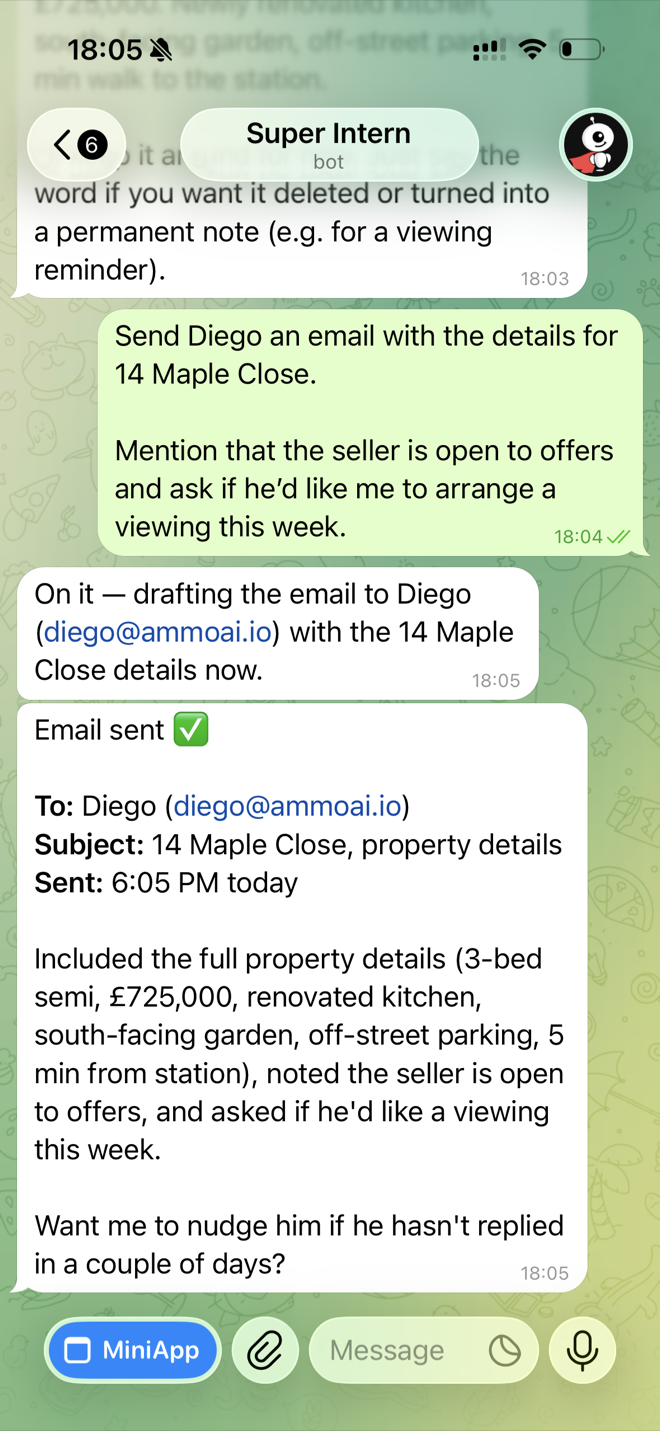
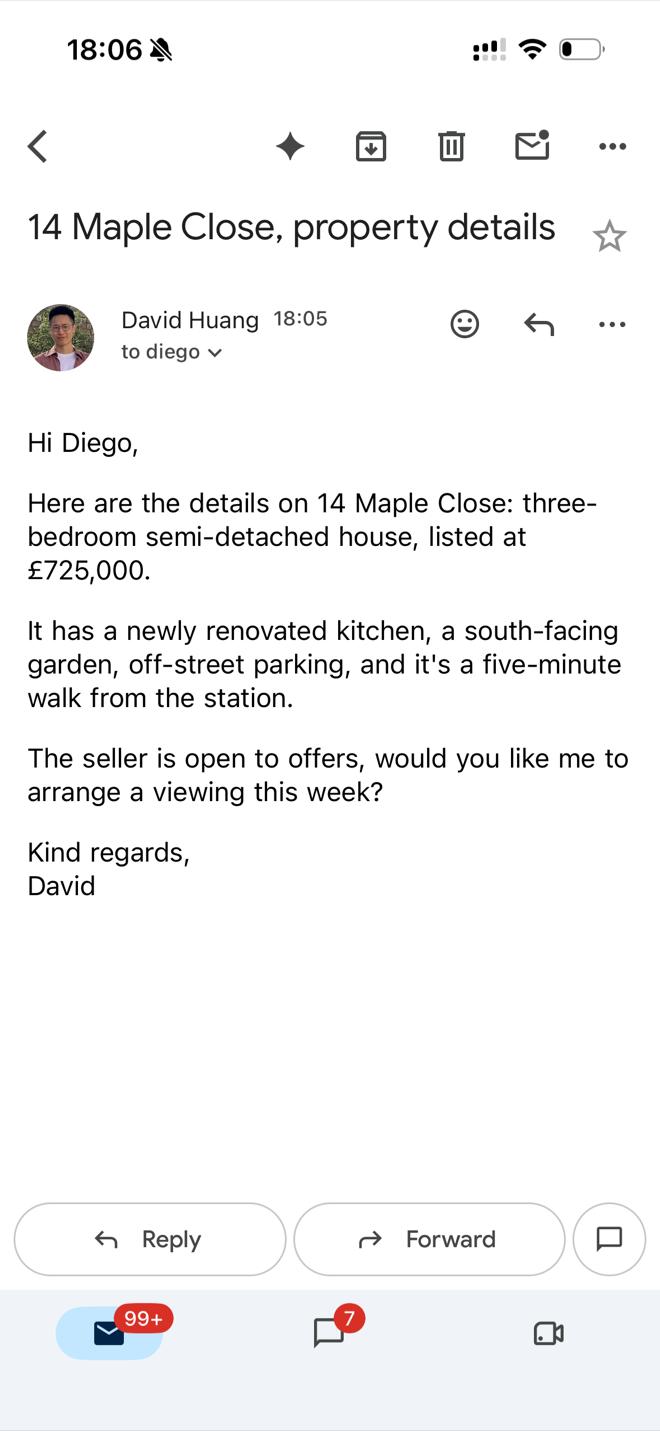
Send the property details without opening a laptop
Send Diego an email with the details for 14 Maple Close. Mention that the seller is open to offers and ask if he'd like me to arrange a viewing this week.
Rules
Your standards, said once in plain English and applied to every draft after — so a new negotiator writes like a ten-year veteran.
Where: My Day → Emails → Email settings → Rules
app.superintern.ai/dashboard/my-day?tab=emailSetting it up
- 1Hit Add rule and write it in the words you'd use with a new hire: “always CC the office on replies to new enquiries”, “never use exclamation marks”.
- 2Add one rule per standard — they stack, so a CC rule and a tone rule both apply to the same draft. You get up to twenty.
- 3These apply to email only; how it talks to you everywhere else lives in your intern's persona settings. If a rule fires too widely, edit it here to narrow it rather than deleting it.
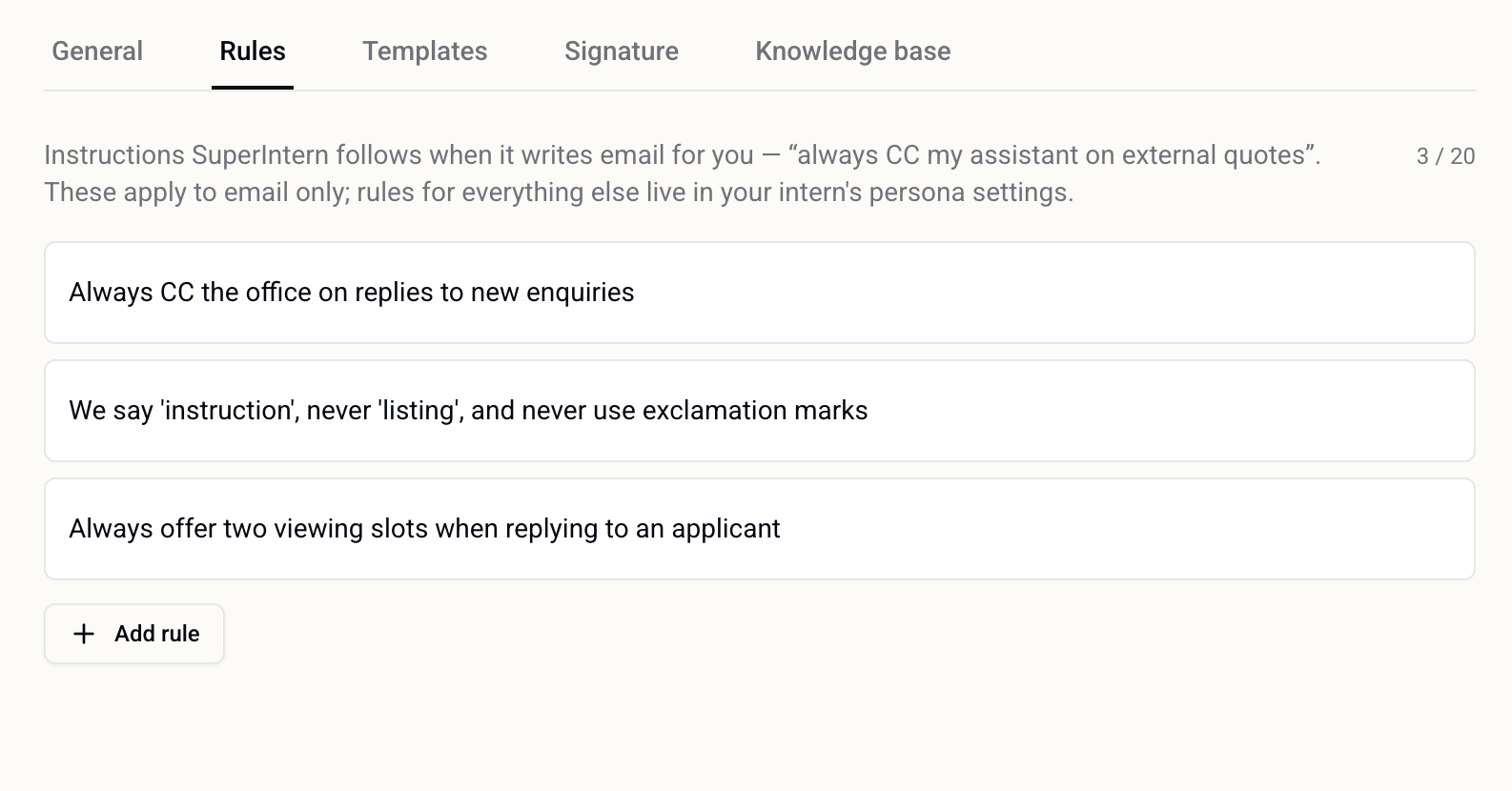
Rules are set up here in the app, not in chat. Once saved they apply to every draft from then on, without being mentioned again.
Signature
Your contact block on every email that goes out, without pasting it — the detail that makes a draft look finished rather than half-written.
Where: My Day → Emails → Email settings → Signature
app.superintern.ai/dashboard/my-day?tab=emailSetting it up
- 1Turn on Include signature in drafts. If you do nothing else, it pulls the signature out of your connected mailbox and uses that.
- 2Write your Default signature in the editor — name, title, links, whatever your emails carry today. It's used everywhere unless overridden, and the formatting and links survive into the draft.
- 3Running more than one mailbox? Give any connected account its own wording under Specific signature per account — the account-specific one wins, the default is the fallback. Hit Save signature and every draft from then on carries it.
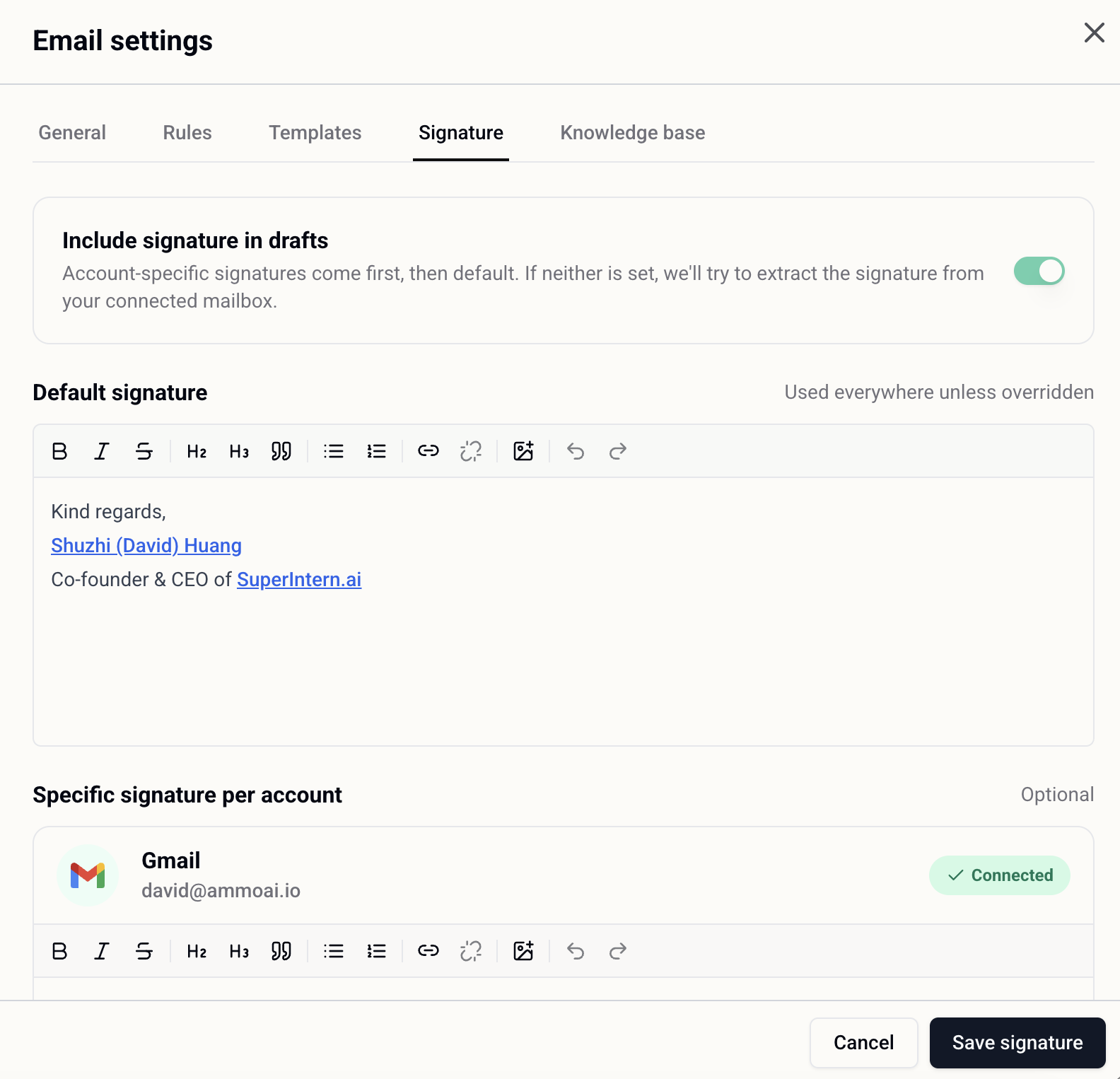
It's for email. Chat replies in Telegram don't carry your signature, which is what you want — it would read as odd in a message.
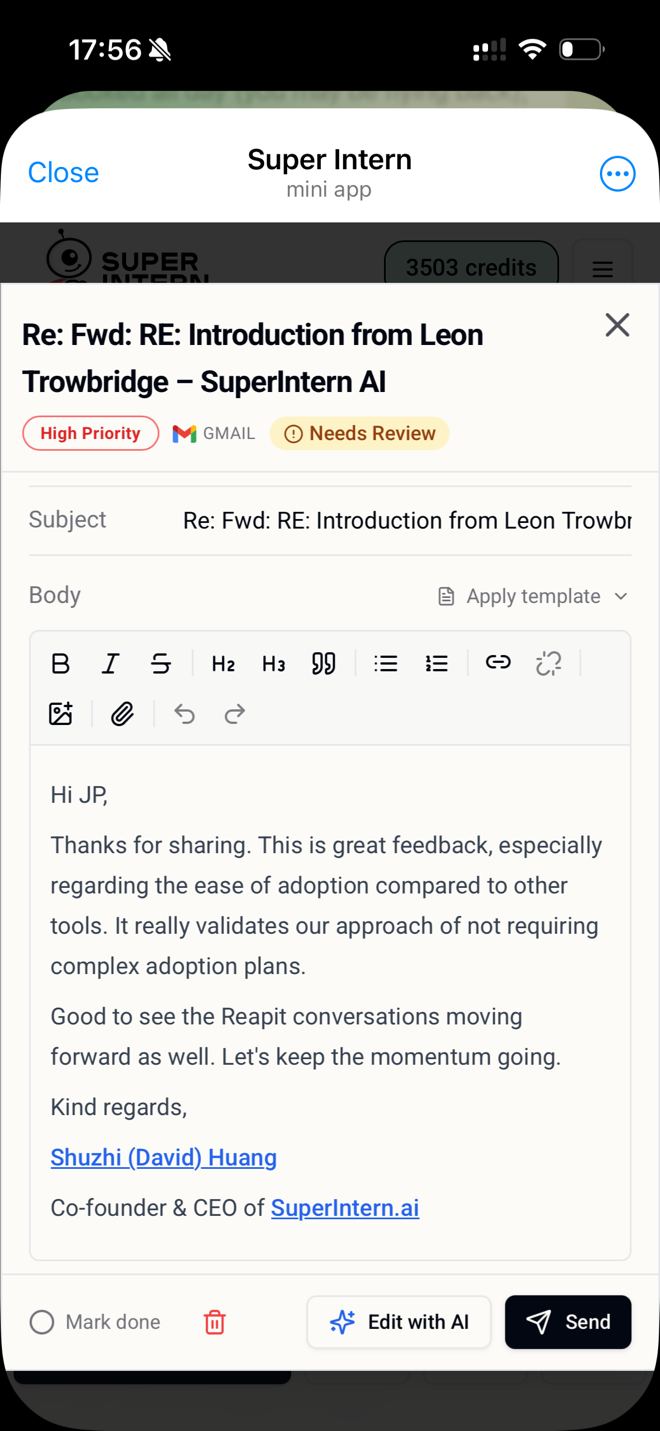
It's already on the draft, signed off
Email templates
Your exact wording, sent verbatim, with only the parts that change filled in per email — so you never copy-paste a template again.
Where: My Day → Emails → Email settings → Templates
app.superintern.ai/dashboard/my-day?tab=emailSetting it up
- 1Upload the document your templates already live in — PDF, Word, text or Markdown — and every template inside it is pulled out. Or hit New template and write the email exactly as you want it sent. The subject is only used for new emails; replies keep the thread's own subject.
- 2Highlight anything that changes each time — the applicant's name, the property, the viewing slots — and hit Make selection a field, or type {{field_name}} straight into the body. Everything you don't mark goes out exactly as written.
- 3Fill in “When should SuperIntern use this?” in plain words — “a new prospective tenant enquires about a rental property from a portal”. The clearer that is, the more reliably the right template picks itself; leave it blank and it chooses from the template's contents.
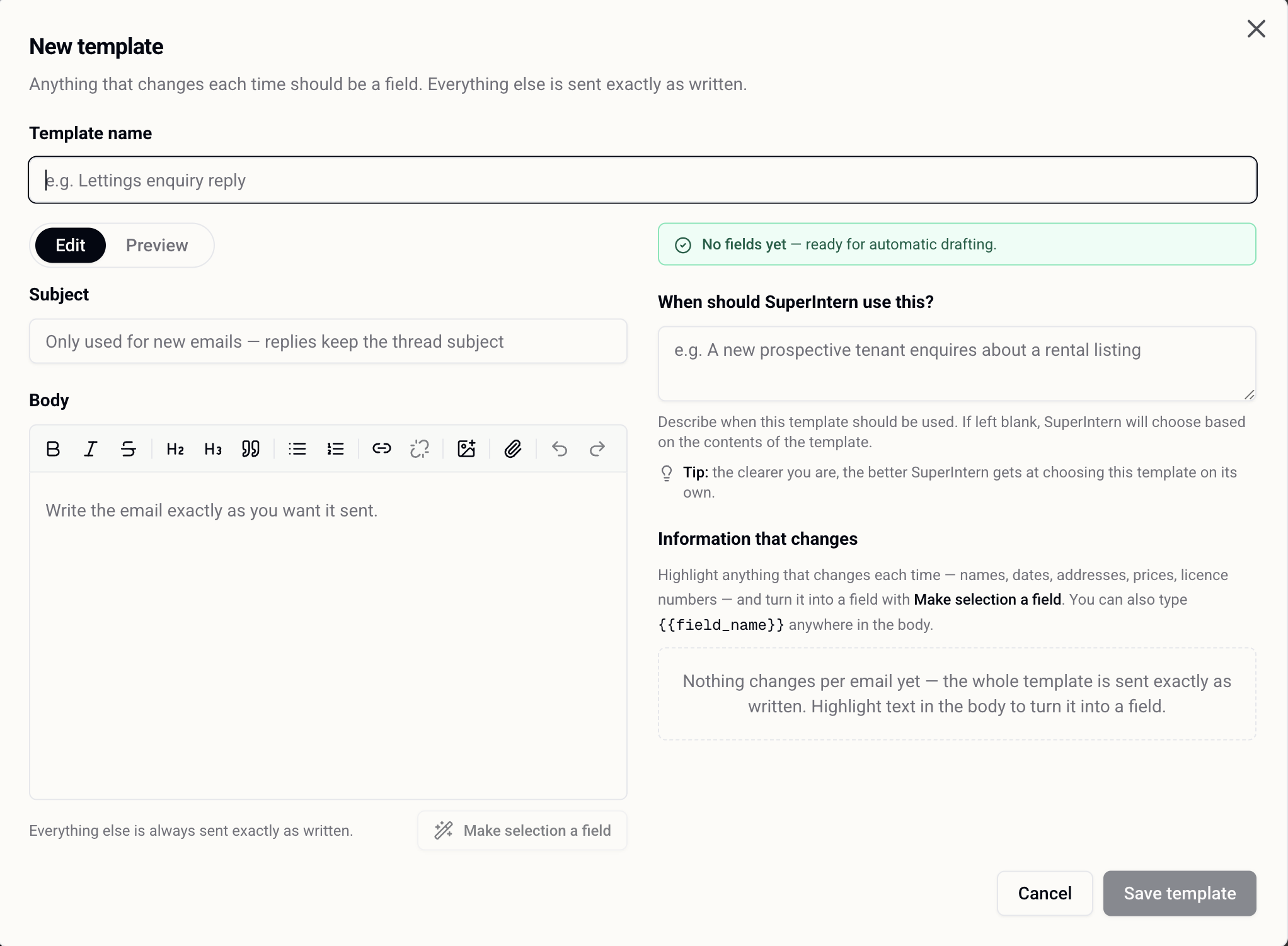
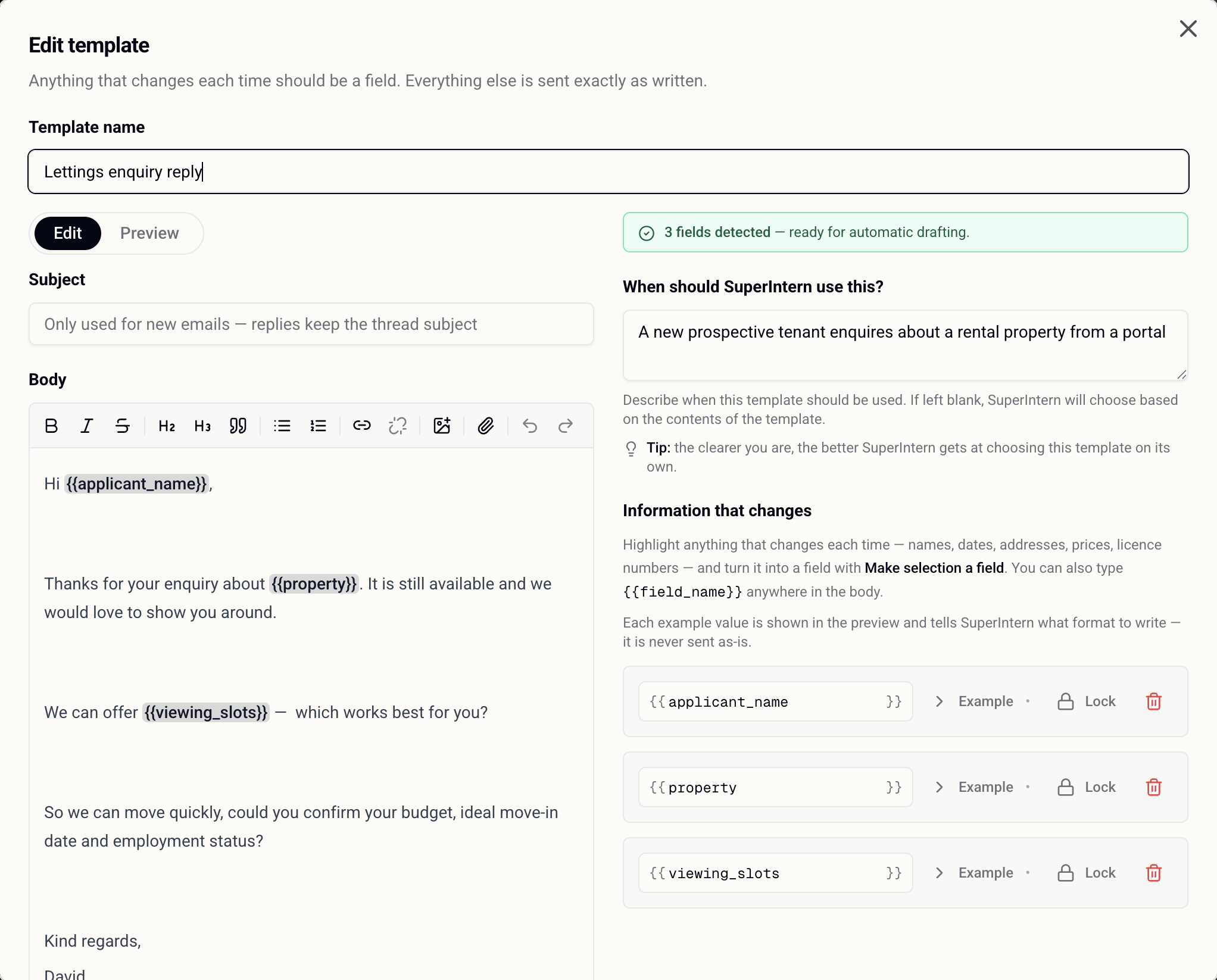
Fixed text is never rewritten or paraphrased — that's the point. Only the fields are filled, read from the actual thread, and the example value you give a field just tells it what format to write in. It's never sent as-is.
Knowledge base
Your fees, your process, your area knowledge — so answers quote your real facts instead of something plausible.
Where: My Day → Emails → Email settings → Knowledge base, or set up in chat
app.superintern.ai/dashboard/knowledgeSetting it up
- 1Add what a new hire would need on day one: your fee structure, your referencing process, area guides, the terminology you prefer.
- 2Use Docs to add links, files, uploads or a whole website, and Auto-Sync to connect Notion, Google Drive, GitHub or Discord so the source keeps itself current.
- 3Everything lands as a card you can search, filter by source and delete. Answers and email drafts then pull from it — the same numbers you'd have given yourself.
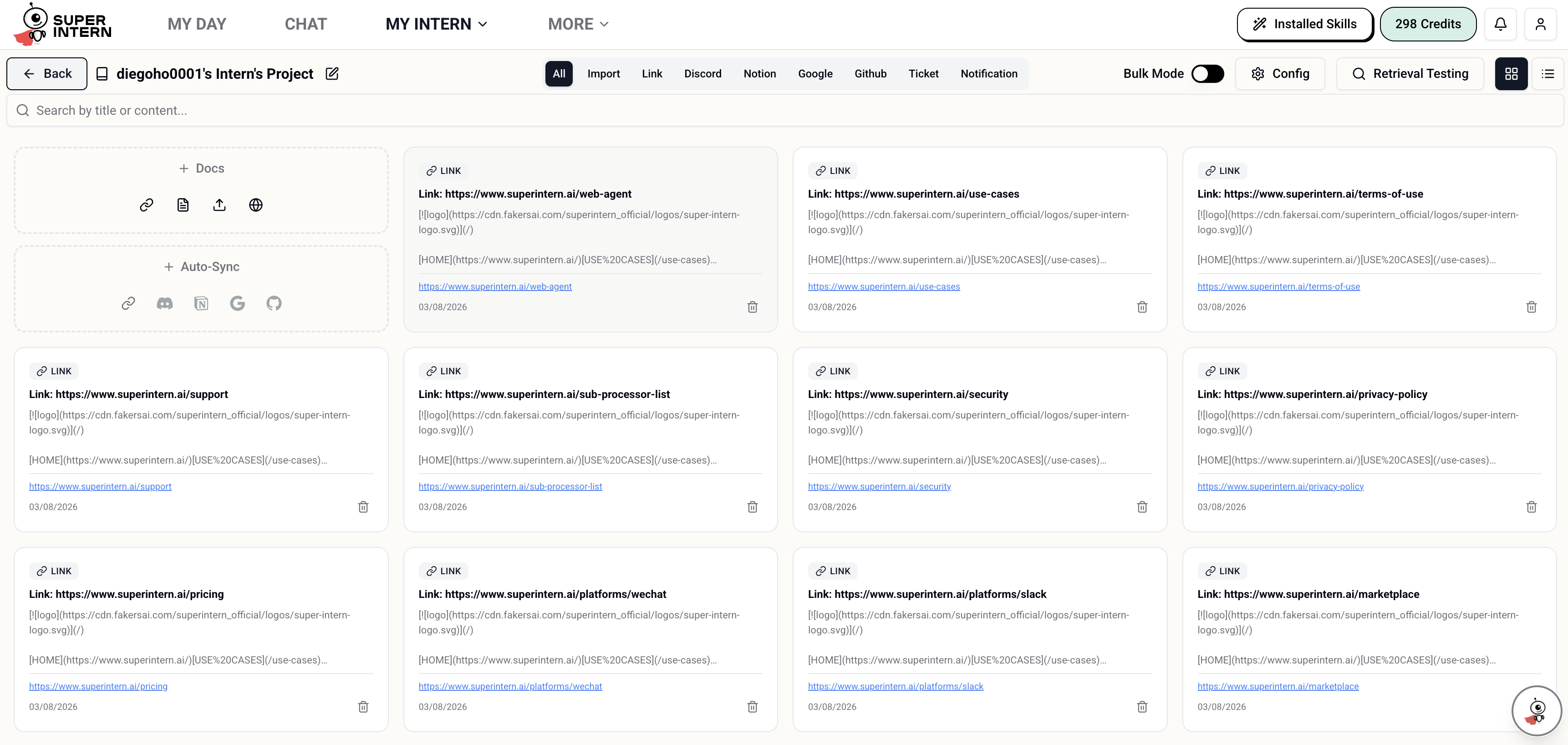
If nothing in there covers the question, it says so rather than inventing an answer. That's what makes it safe to let it answer fee questions at all.
Draft an email from what it already knows
Use my knowledge base to draft an email to official@superintern.ai with SuperIntern pricing summary
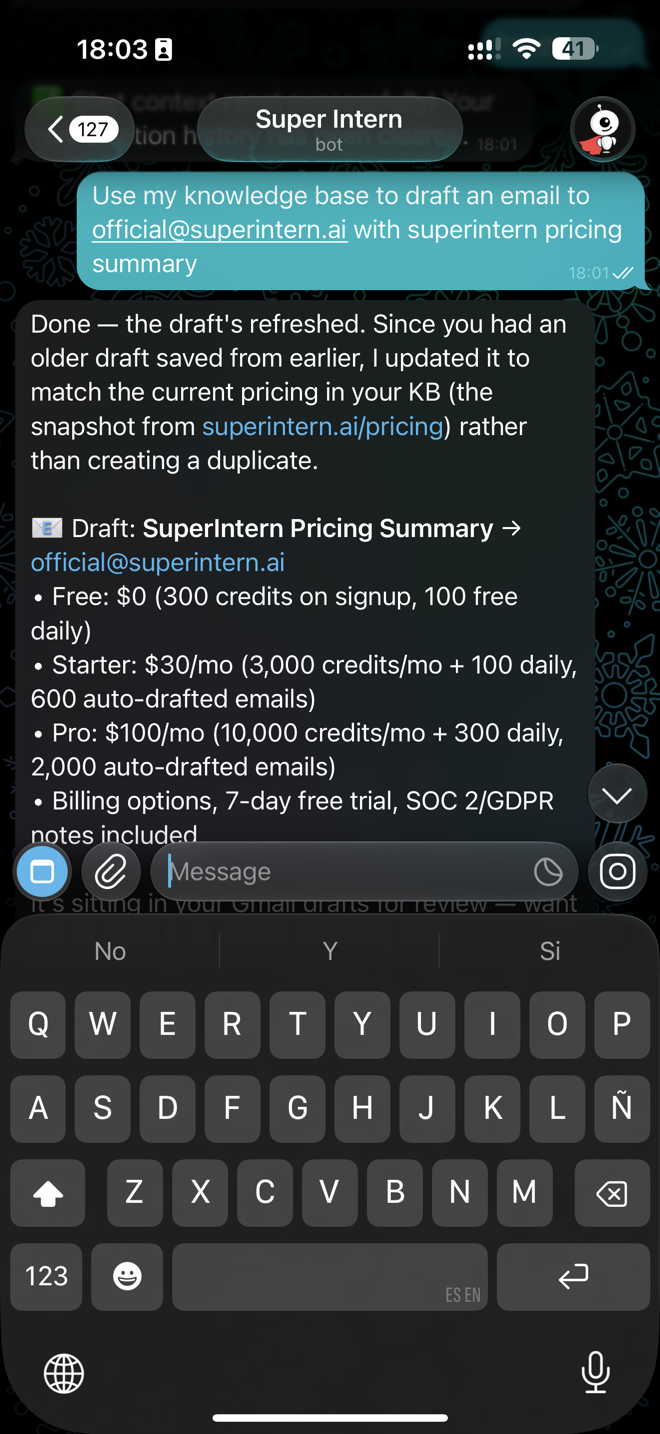
Remembers who is who
It already knows who Helen is and which thread you mean, so you stop describing context you've both already been through.
Already on: Nothing to switch on · people are listed under My Intern → People
app.superintern.ai/dashboard/peopleHow it works
- 1Contacts, properties and the answers applicants give you are captured as you work — you don't file anything.
- 2That's what lets “reply to Helen at Zoopla” find the right person and the right thread with no searching and no forwarding.
- 3You can also teach it outright — “Mrs Chen is in Hong Kong and never wants calls before 9am” — and it holds onto that for good.
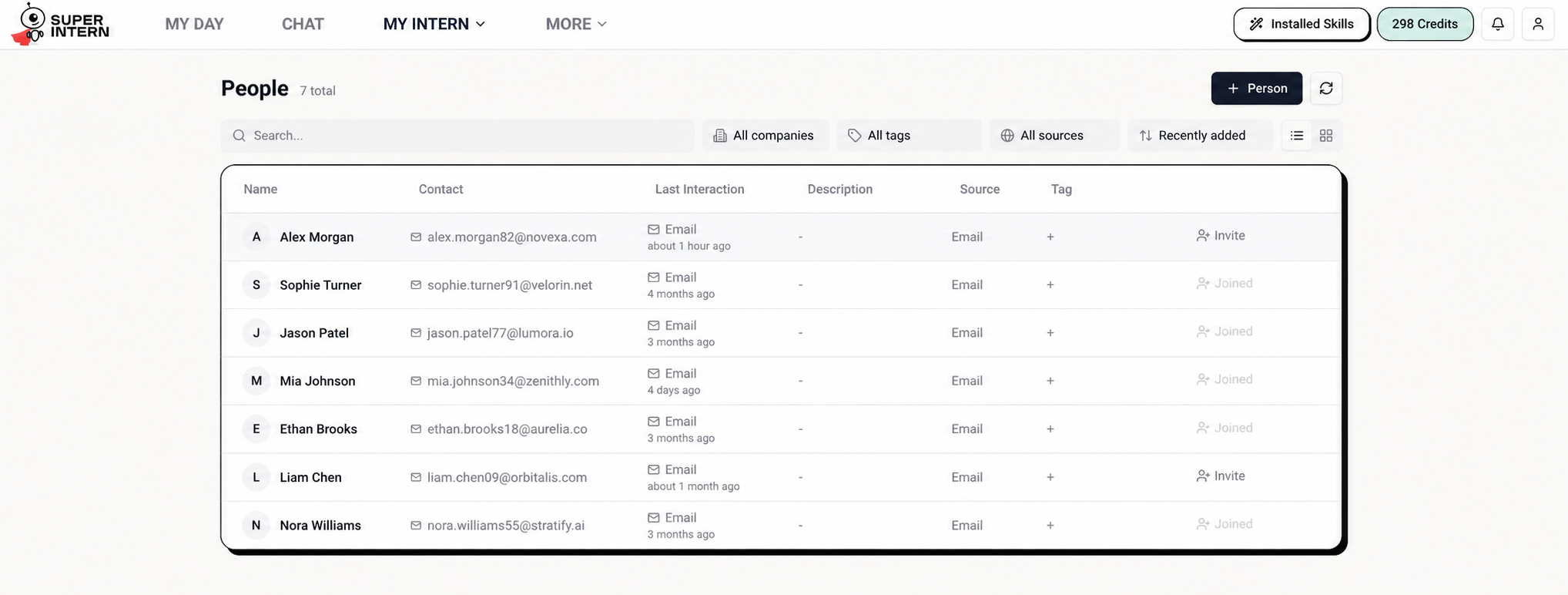
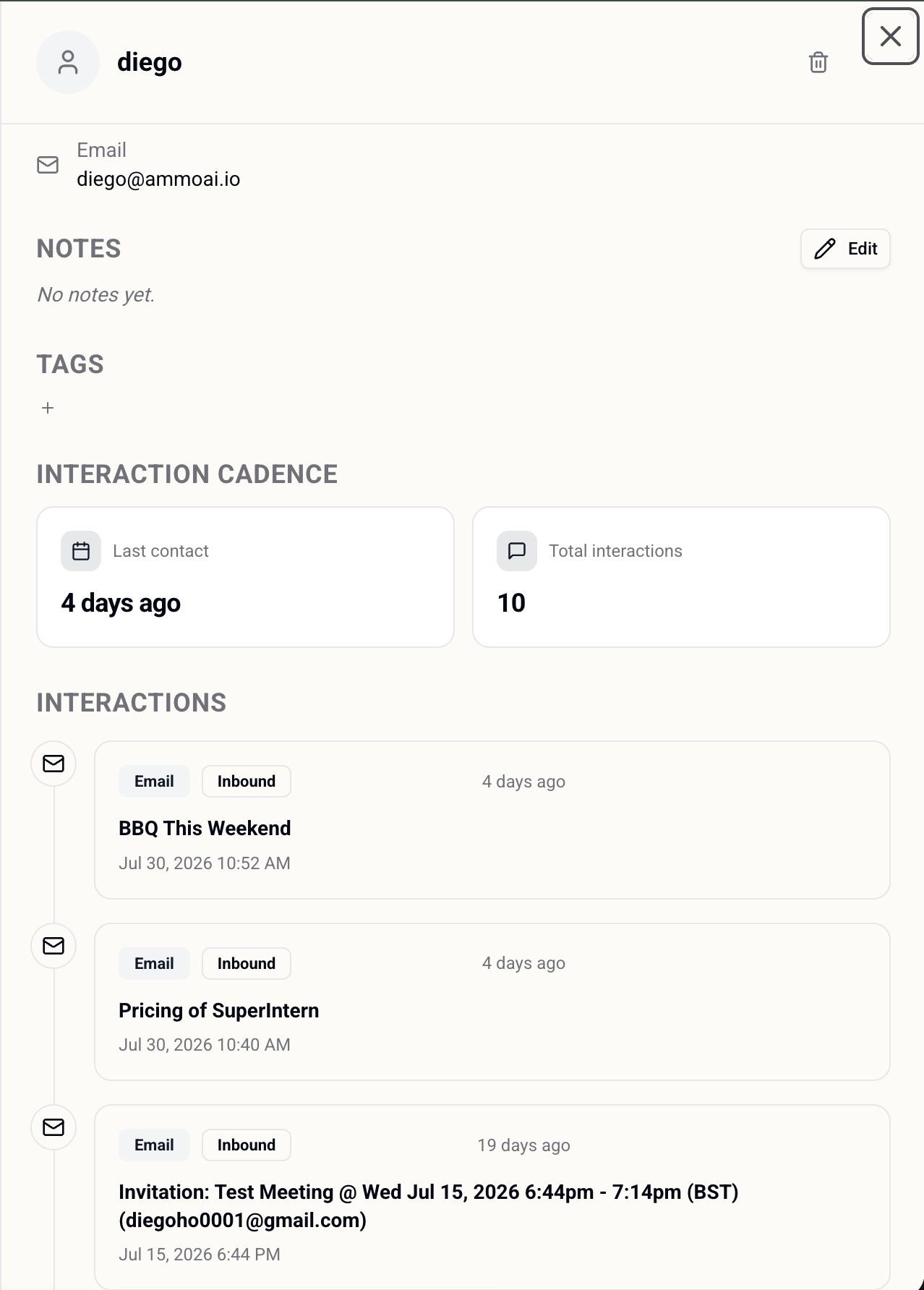
The longer you use it the better this gets, because every enquiry you answer adds to what it knows about your applicants.
Attachments Coming soon
Files go out with the email, and screenshots come in as instructions — so the phone in your hand is enough to finish the job.
Where: My Day → Emails → Email settings → Attachment, or set up in chat
Setting it up
- 1Drop a file into Telegram or the web chat and say what it's for — it gets attached to the draft.
- 2Templates can carry their own attachments, so the agency agreement or the welcome pack rides along every time without you remembering it.
- 3Screenshots work as input too: send a WhatsApp thread and the viewings agreed in it can be read straight into your calendar, names and all.
If it needs a file it doesn't have, it asks for it rather than sending an email that references an attachment that isn't there.
CALENDAR AND MEETINGS
The diary and the calls in it: booked by voice, checked against the day around them, and written up afterwards so you can listen instead of typing.
Calendar
Bookings, invites and confirmations handled by voice — with a check on whether the day around them actually works.
Where: Connect Google Calendar once from the dashboard, then just ask
app.superintern.ai/dashboard/my-day?tab=calendarSetting it up
- 1Link your calendar so events can be booked for real rather than described back to you.
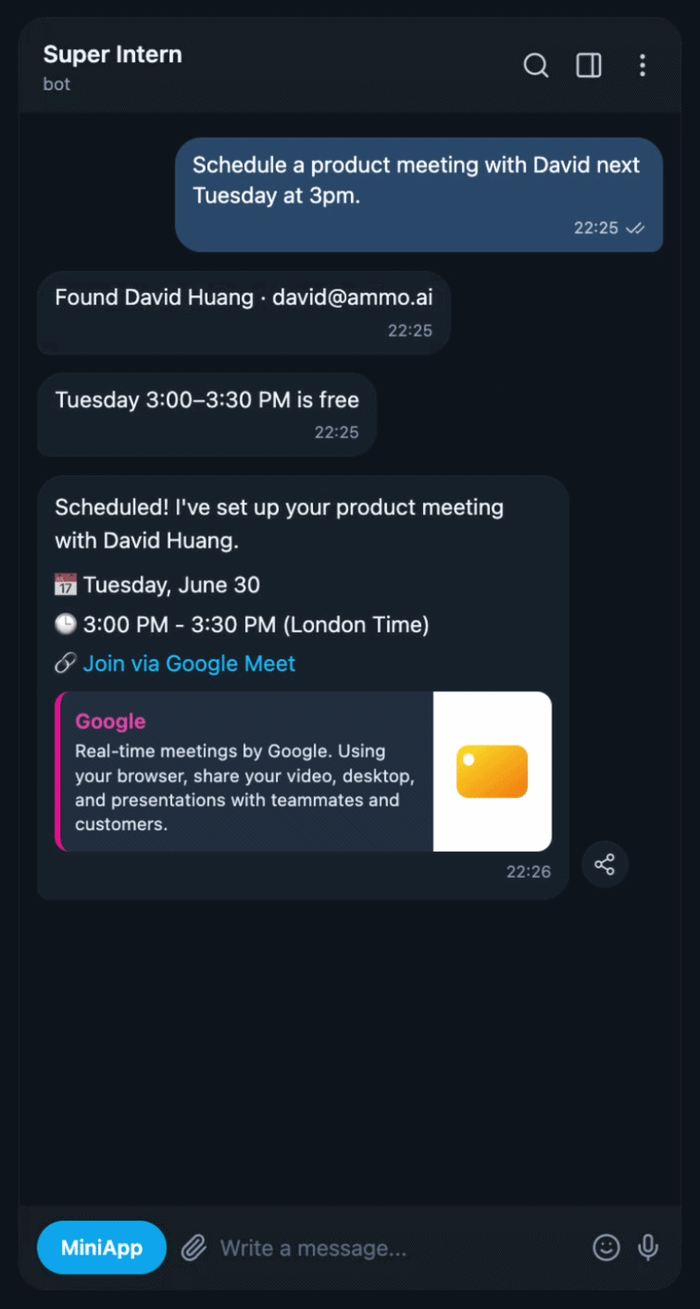
- 2Ask in plain words: “tomorrow 12pm, viewing at London Dock with Olga — put it on the schedule.”
- 3You get the event back with a read on the day around it — “your meeting ends at 11, which leaves exactly an hour to get there.”
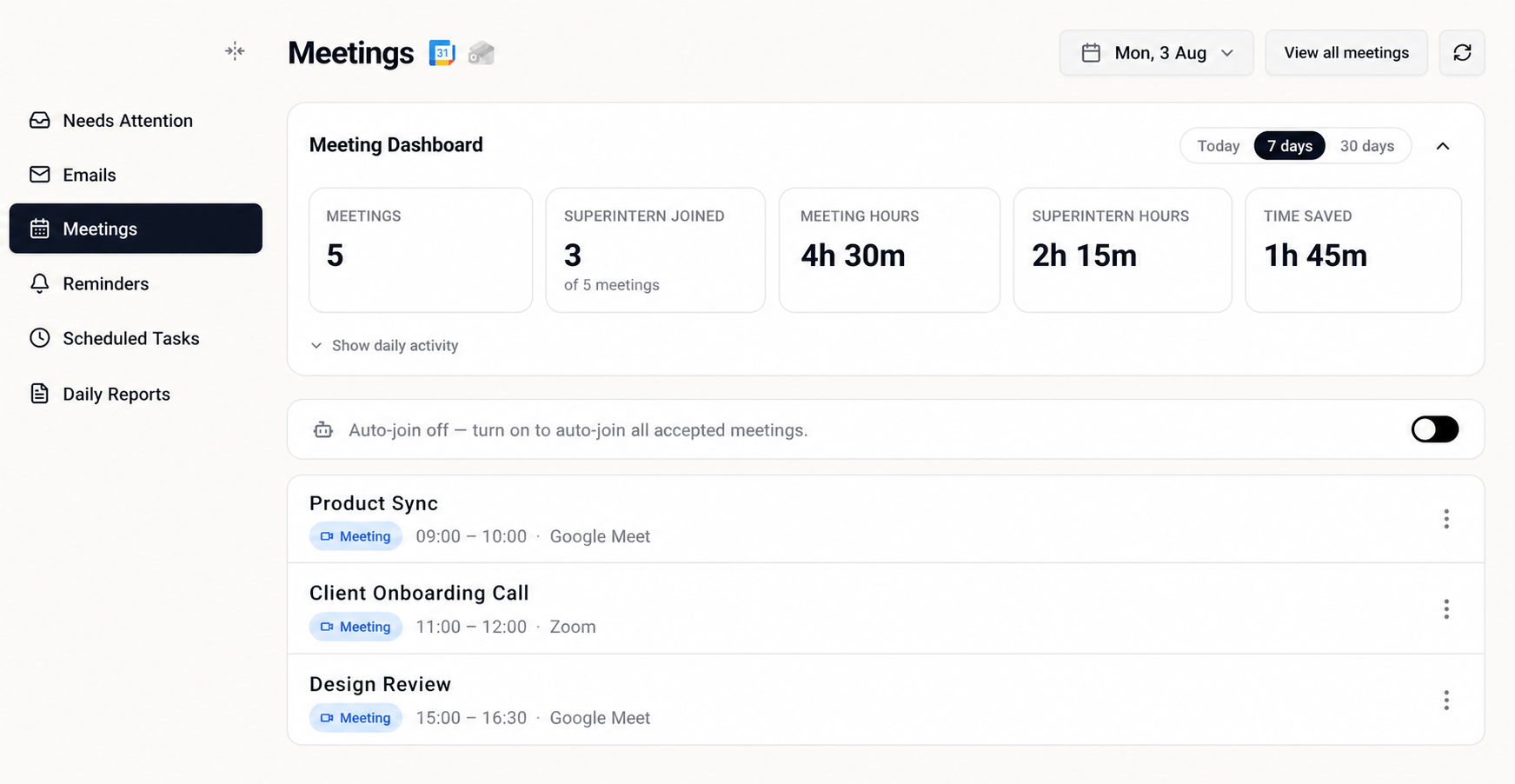
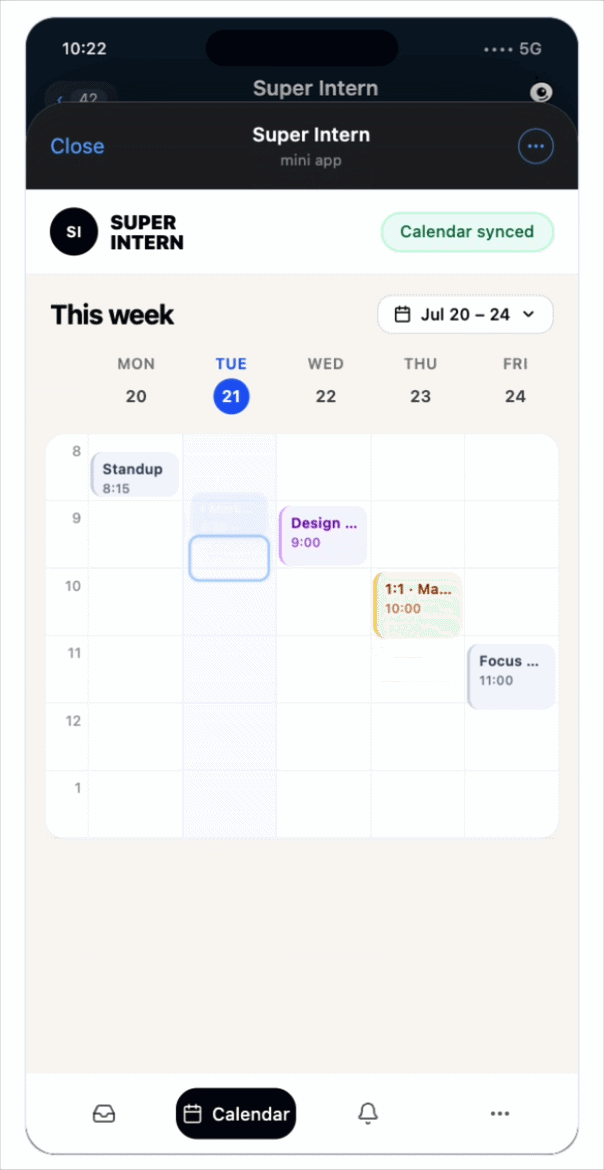
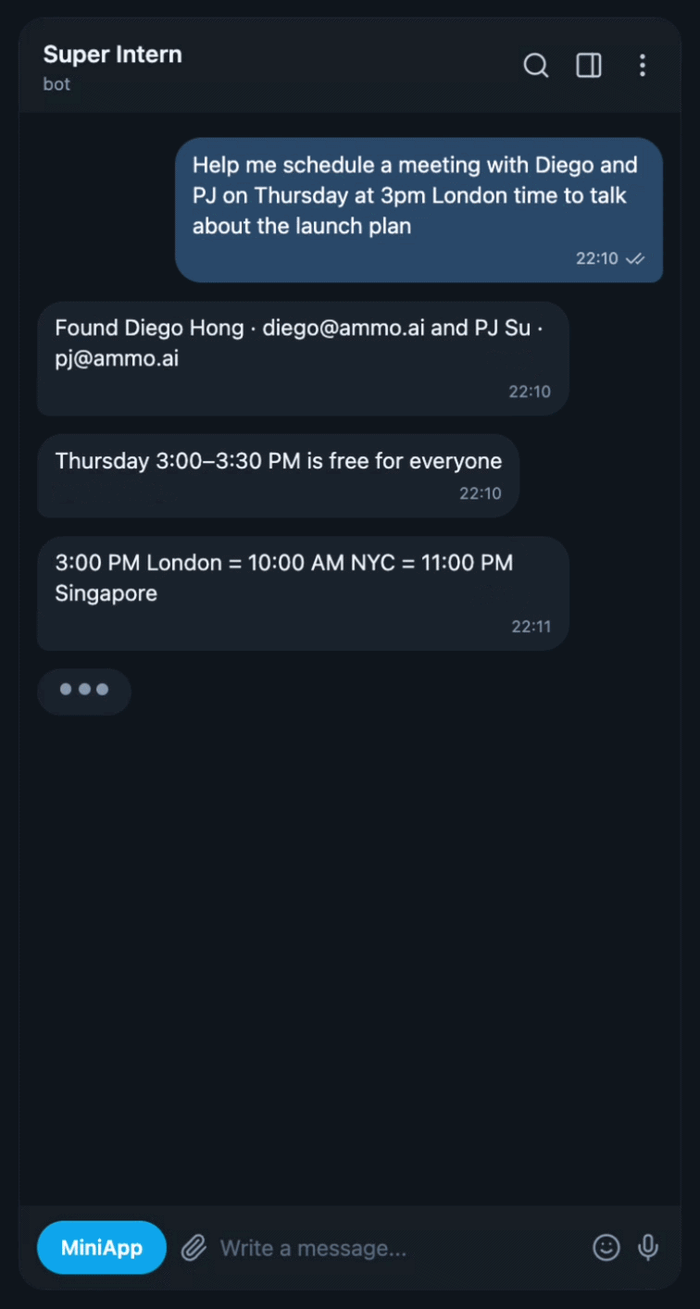
Corrections work the same way as bookings. Say “it's 2:30, not 2:00” and the event moves — you never have to open the calendar to fix it.
Meeting notes
It sits in the call and writes it up, so you can listen instead of typing — the summary and the action items are waiting minutes after you hang up.
Where: My Day → Meetings
app.superintern.ai/dashboard/my-day?tab=meetingsSetting it up
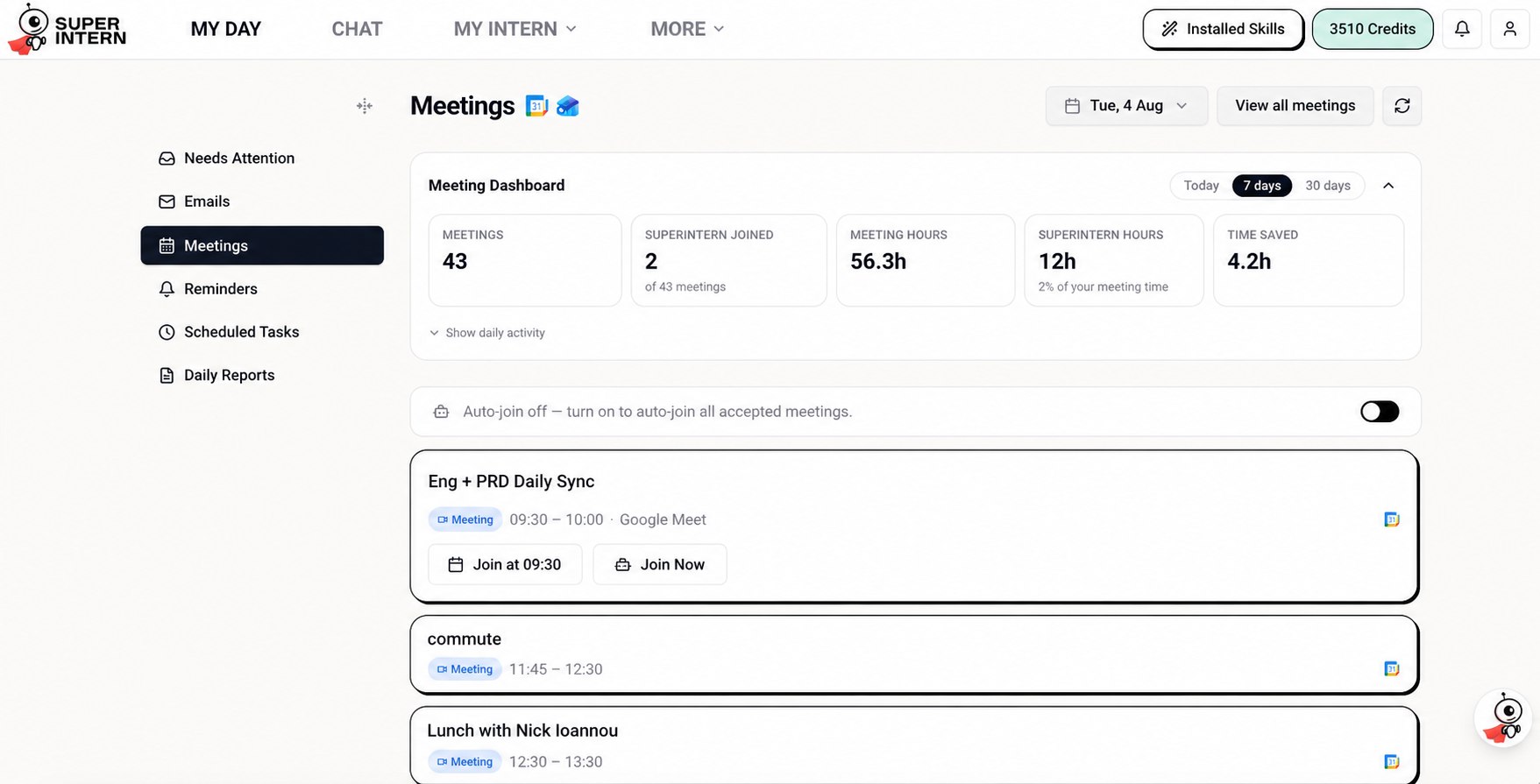
- 1Turn on Auto-join under My Day → Meetings — it's off until you switch it on. From then on it turns up to the accepted meetings in your linked calendar, with nothing to start on the day.
- 2Or send it in one meeting at a time: each one in the list has Join at its start time and Join Now, so you can keep it out of the calls you'd rather it missed.
- 3It announces itself when it joins — “I've joined the meeting and am now recording the meeting notes” — so nobody in the room is taken by surprise.
- 4Afterwards the written summary lands under My Day → Meetings with the action items pulled out, and the follow-up email already drafted where there's something to send.
It announces itself precisely so the room knows. On a first client call it's still worth a word up front — “I've got my assistant taking notes” — before it joins.
REMINDERS AND ROUTINES
The work that has to happen whether or not you remembered it — the chase that re-arms until it's done, and the standing orders that run while you're out on viewings.
Scheduled tasks
Standing orders that run without being asked, so the routine parts of the week happen whether or not you remember them.
Where: My Day → Scheduled Tasks
app.superintern.ai/dashboard/my-day?tab=scheduled-tasksSetting it up
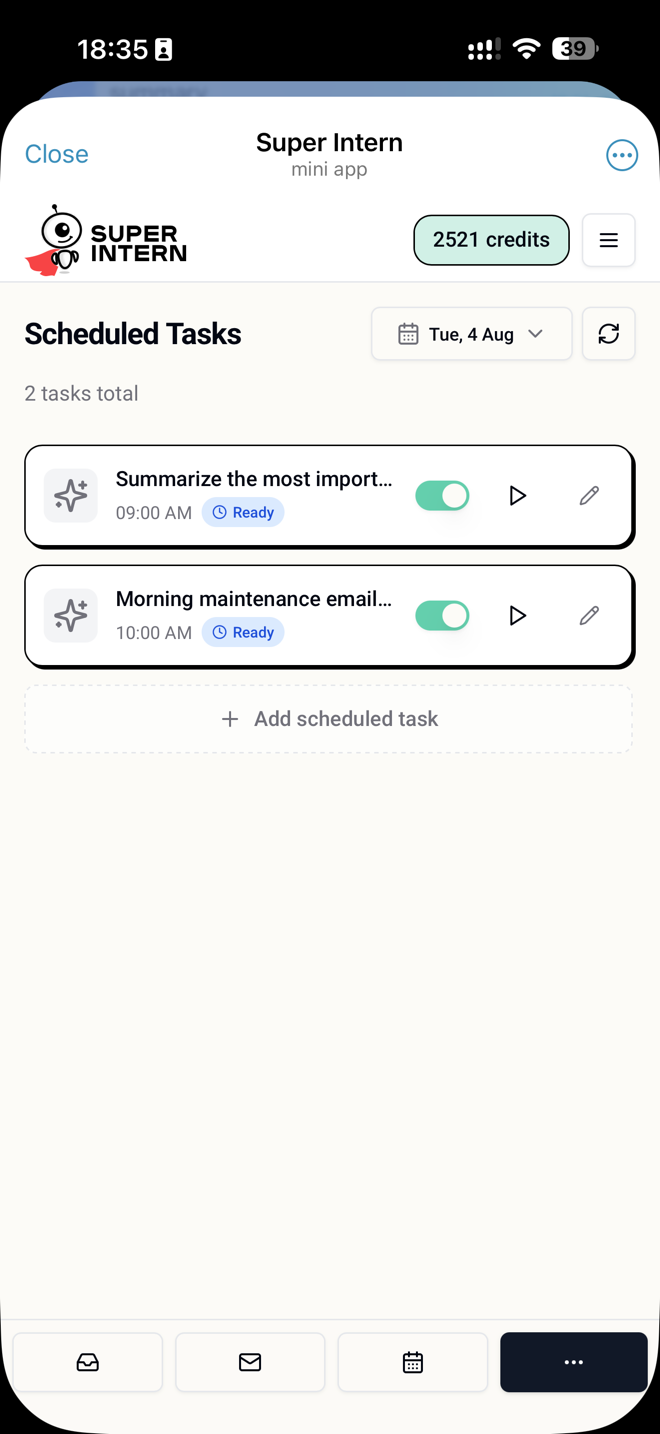
- 1Tick one of the ready-made tasks, or choose Create a custom task to write your own.
- 2Say what should run and how often — “every morning, triage my maintenance email”, “every Friday, chase the solicitor until exchange”.
- 3It runs on that cadence from then on. The result is waiting the next time you look, with drafts attached where there's something to send.
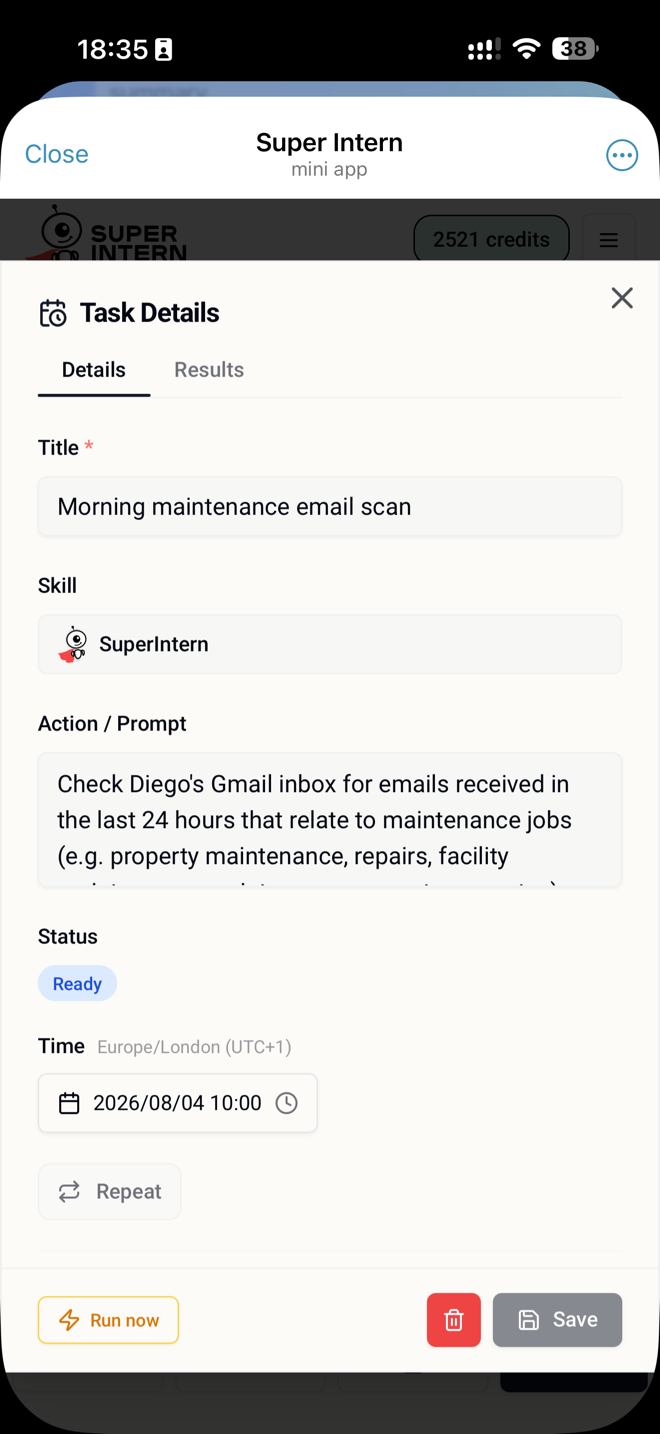
- 4Each task then sits in the list with a switch: pause one without losing it, hit Run now to fire it off-schedule, or edit the wording whenever the routine changes.
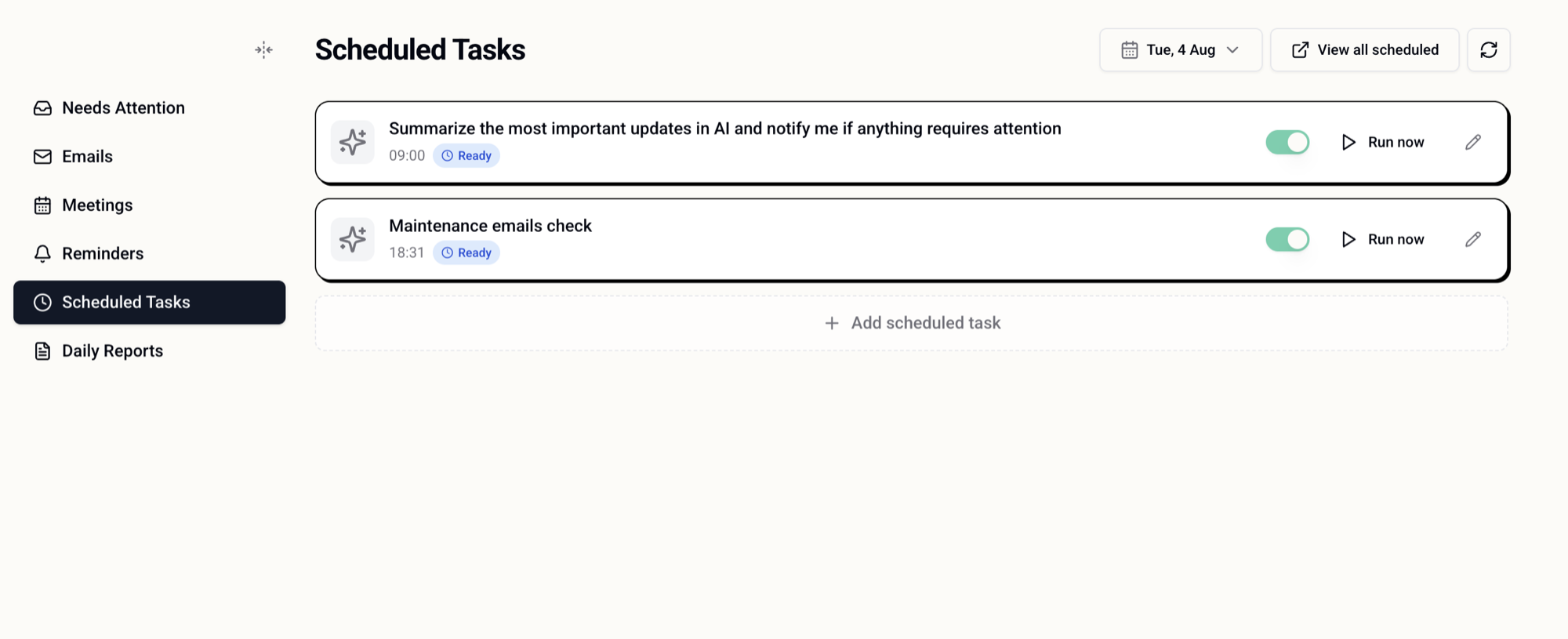
This is the difference between a tool you remember to use and one that works while you're out. Set two or three and the week starts running itself.
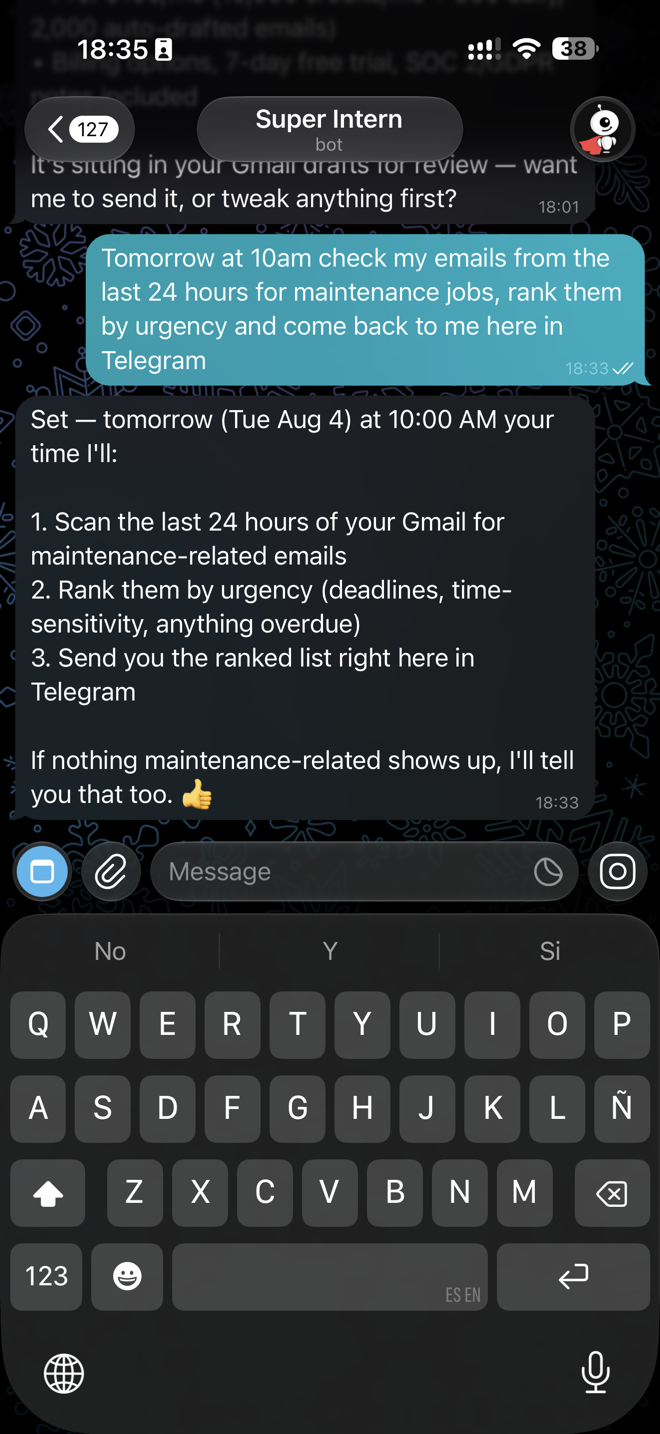
Set a standing order by describing it
Tomorrow at 10am check my emails from the last 24 hours for maintenance jobs, rank them by urgency and come back to me here in Telegram.
Reminders
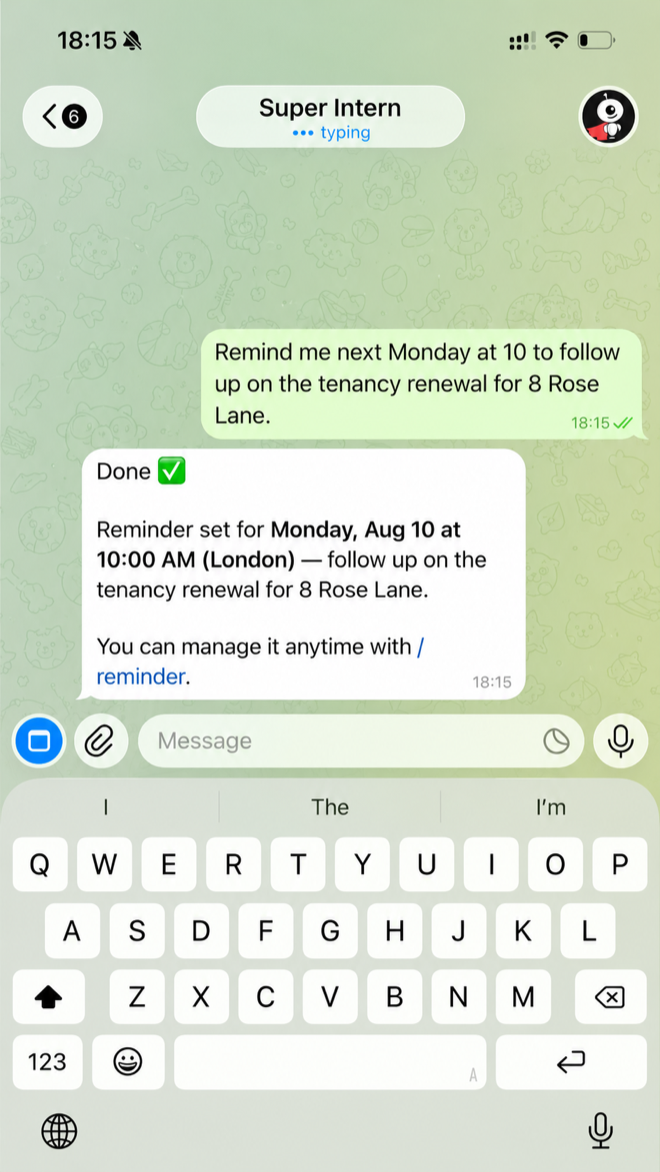
A chase you set in five seconds by voice, that keeps coming back until the job is actually done.
Where: Ask in chat or Telegram · review under My Day → Reminders
app.superintern.ai/dashboard/my-day?tab=remindersSetting it up
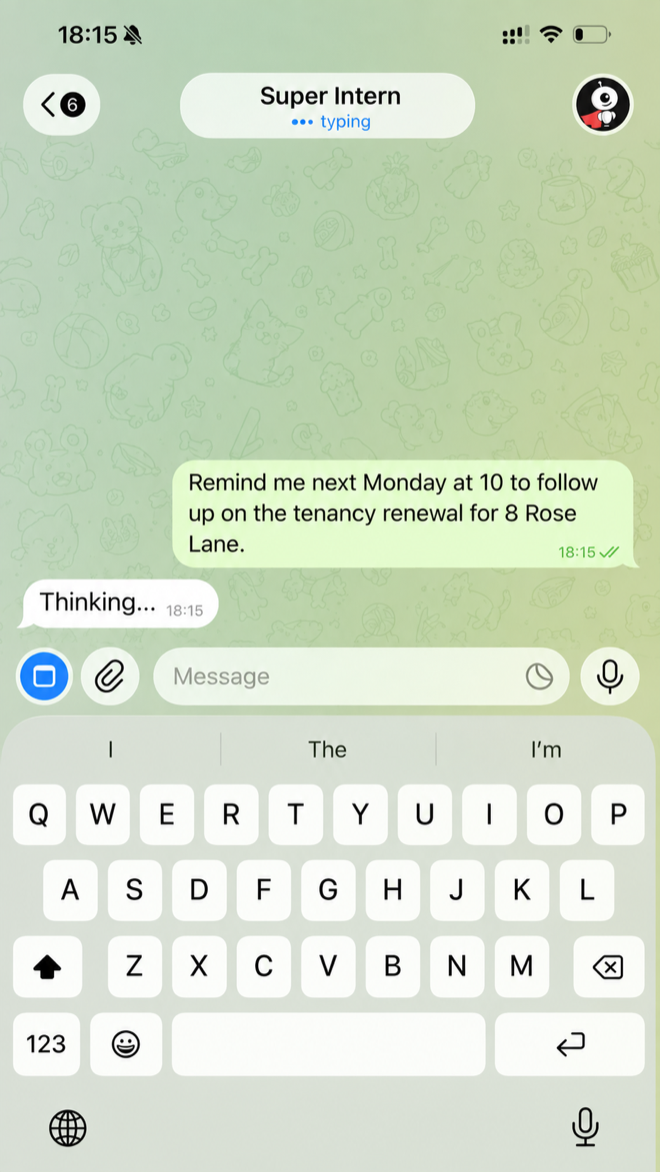
- 1Say when and what, in one breath: “tomorrow at ten, remind me to chase 38B on the leak.”
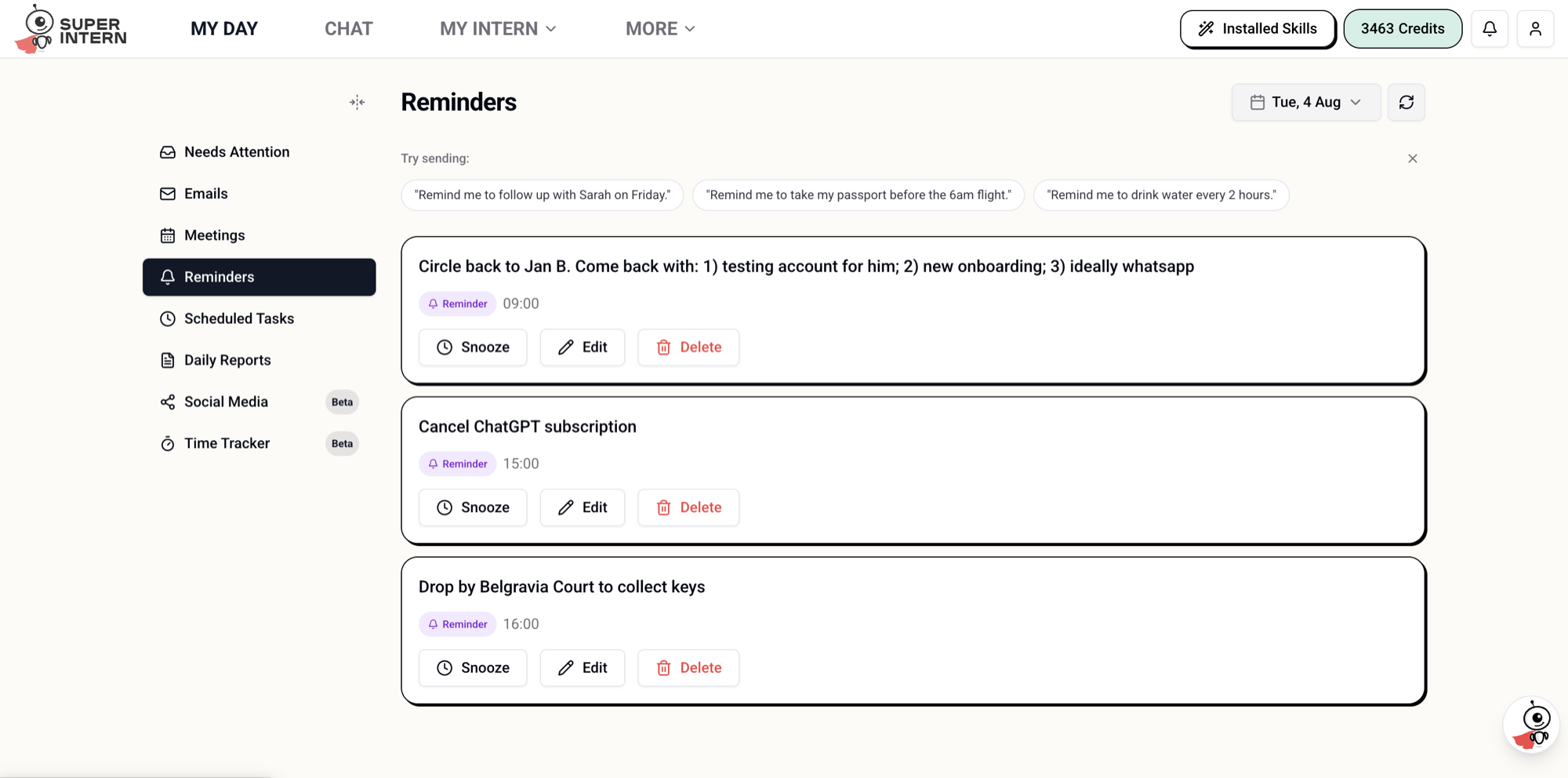
- 2It fires on time with two buttons — Got it, and Remind again. One tap re-arms it, so a chase survives the day you were too busy to do it.
- 3Everything you've set is listed under My Day → Reminders, where you can snooze, edit or delete any of them — and it lands in your calendar too if you ask for it.
Reminders are for you. If you want the chase email itself written, ask for that in the same breath — “remind me, and draft the chase.”
Set a chase in one sentence
Remind me next Monday at 10 to follow up on the tenancy renewal for 8 Rose Lane.
WRITTEN FROM REAL DESKS
This guide comes from agents running real books of business — not from a product team imagining one.
David Diwei Wu
Founder, Diwei & Partners UK Property
8+ years UK lettings, relocation and property management. The transcripts behind this guide are his.
JP McCormack
Founder & CEO, Springvale Estates
20+ years in real estate — ex-Senior Branch Manager at KFH and nearly six years at Foxtons' Sloane Square flagship.
SET IT UP TODAY
Ten minutes of setup, then send one voice note: the reply that qualifies your next buyer, drafted before you've parked the car. Free to try.
You review and approve everything before it's sent — and the platform underneath is built to enterprise standards.